
Learning Paths
Last Updated: March 31, 2026 at 12:30
How Login Systems Actually Work
The Hidden Mechanics of Trust: Why Being Logged In Is Really About Possession, Not Proof
Most developers think authentication ends at the login screen, but the real story begins after the password is verified. This article traces the full journey of trust—from a single credential check to a system that relies entirely on a reusable session token. It reveals why session IDs quietly become more dangerous than passwords and how a single leak can bypass every other security control. By understanding this flow, you begin to see where real vulnerabilities live—not at login, but in every request that follows
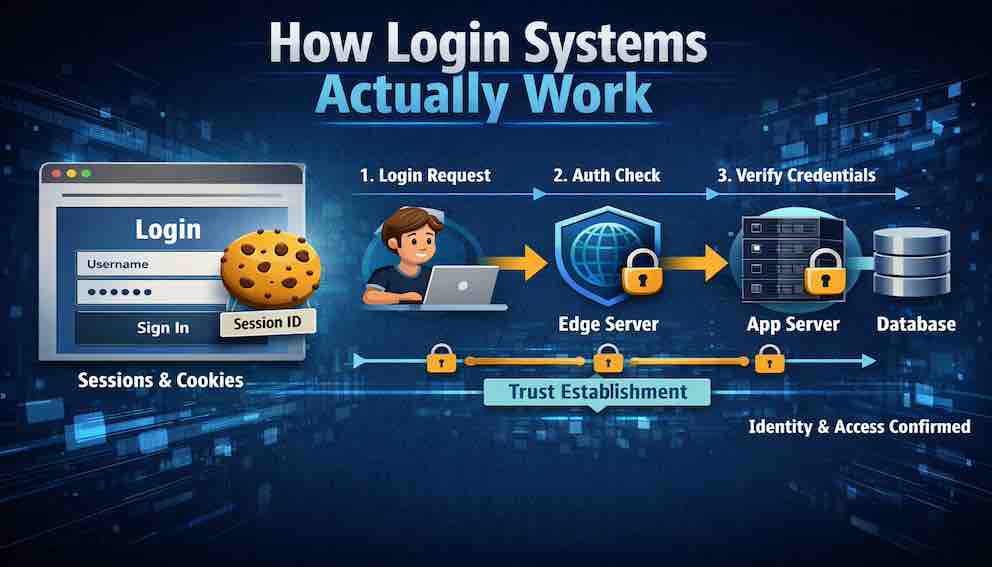
Let us examine something that will change how you see every login form on the internet.
Open your browser's developer tools. Navigate to any website you use — your email, your bank, your social media. Find the Network tab. Now log in.
Observe what happens.
A request appears, addressed to something like /login or /api/auth. It contains your email and password — but look closely, and you will notice the password appears as plain text in the request body. This surprises most developers the first time they see it. It is safe — HTTPS encrypts the entire connection before the data travels anywhere — but the password itself is not additionally encrypted inside that tunnel. What we are looking at is the raw payload, protected by the transport layer wrapping it.
Then comes the response. Somewhere in the response headers, there is a line that reads Set-Cookie: sessionId=abc123... or perhaps a JSON body containing an access_token.
That tiny line — that cookie or token — is now the key to your entire digital life on that site. Every subsequent request will include it. Every service will trust it. And from the moment it is issued until the moment it expires or is revoked, anyone who possesses that key can be you.
This is how login systems work. Not with magic. Not with impenetrable fortresses. With a surprisingly simple, elegant, and often fragile chain of trust.
Let us walk through exactly how that chain is built — and the choices that shape it.
Part One: What a Login System Actually Does
Before examining the mechanics, let us establish what a login system is trying to achieve. This clarity matters because the three jobs of a login system are frequently confused with each other, and that confusion leads to insecure implementations.
A login system has three jobs, and only three jobs.
First: verify identity. Confirm that the user is who they claim to be — usually by checking something they know (a password), something they have (a phone or hardware key), or something they are (a fingerprint or face). These are called authentication factors, and combining more than one is what multi-factor authentication means.
Second: establish a session. Once identity is verified, the system must create a temporary, revocable credential that proves the user completed step one — without requiring them to repeat it for every request. That credential takes different forms depending on the architecture. It might be a session ID: a random string stored server-side, sent to the browser as a cookie, and looked up on every request. It might be a signed token such as a JWT, which carries the user's identity encoded within it and travels as a bearer token in request headers. It might be a short-lived access token paired with a longer-lived refresh token, where the access token authorises individual requests and the refresh token generates new access tokens as they expire. The form varies — but the purpose is always the same: to give the authenticated user something to present on subsequent requests so the system recognises them without re-verifying their credentials from scratch. This is what it means to be logged in.
Third: propagate identity. Attach that session credential to every subsequent request so the rest of the system knows who is making it.
That is it. Everything else — password reset, social login, single sign-on — is an extension of these three jobs.
Here is what a login system does not do, and this is where confusion most often creeps in: it does not authorise. It does not decide what the user can do. It only proves who the user is. Authorisation is a separate concern, handled in a separate layer, after the login system has done its job. Authentication answers who are you. Authorisation answers what can you do. These must never be conflated.
Part Two: The Three Mechanisms — An Overview
The sessionId cookie shown in the developer tools is one mechanism for establishing a session after login. It is the oldest and most transparent, which is why this article uses it to walk through the flow in detail. But it is not the only approach, and understanding why multiple approaches exist is part of understanding login systems properly.
Session-based authentication stores the session state on the server. The session ID is just a pointer — a random string that references a record in a database or cache. The server holds the actual data (who the user is, when the session expires). This makes sessions easy to revoke, because deleting the server-side record immediately invalidates the session ID, regardless of who holds it.
Token-based authentication (most commonly JSON Web Tokens, or JWTs) stores the session state in the token itself. The token is a self-contained, cryptographically signed document that carries the user's identity and permissions. The server does not need to look anything up — it just verifies the signature. This makes tokens lightweight and easy to use across distributed systems, but it makes revocation genuinely difficult, because the token remains valid until it expires even if the server wants to invalidate it. Blocklists can simulate revocation, but they reintroduce server-side state and partially defeat the purpose.
Passkeys and WebAuthn represent a fundamentally different approach. Rather than a shared secret (the password), authentication is based on a cryptographic key pair. The private key never leaves the user's device. The server holds only the public key. Login works by the server issuing a challenge that only the private key can sign — which means there is no password to steal, no credential database to breach, and no phishing attack that can capture a reusable secret. Passkeys are widely considered the most secure consumer authentication mechanism available today, and adoption is growing, but they require client-side support and introduce implementation complexity.
OAuth and social login are not login systems in themselves — they are delegation protocols. When a user clicks "Sign in with Google," they are not giving your application their Google password. They are authorising Google to tell your application who they are. Your application receives a token from Google that proves the user authenticated successfully with Google. The actual credential verification happened elsewhere.
This article uses session-based authentication as its primary lens because it makes the mechanics most visible — the trust flow, the session lifecycle, and the vulnerability patterns are all easiest to trace when the entire mechanism lives on your own server. Part Three walks through every step of that flow in detail. Part Five then returns to compare session-based and token-based approaches directly, examining where they diverge and what drives the choice between them. Passkeys and OAuth are introduced here as orientating context; they receive full treatment in later articles.
Part Three: The Complete Session-Based Login Flow
Let us trace every step of a traditional session-based login, from unauthenticated user to authenticated session.
Step 0: The Unauthenticated State
The user arrives at the site. No session cookie exists. The server has no record of them. Every request they make is anonymous.
The server returns a login page. No session is created at this point — there is nothing to create a session for.
Security note: Even the login page itself should be served over HTTPS. A man-in-the-middle attacker positioned between the user and the server could replace the login form with a fake one that captures credentials before they are ever submitted. HTTPS is not a feature reserved for the login endpoint — it is a baseline for the entire application.
Step 1: The User Submits Credentials
The user enters their email and password and clicks Login. The browser constructs a POST request to the login endpoint.
The request contains the email and password. It does not contain a session identifier — because none exists yet. This is the only request in the entire flow that carries credentials instead of a session.
Security note: Never send credentials in a GET request. GET requests appear in browser history, server logs, referrer headers, and proxy caches. POST requests are not perfectly safe either, but they are not cached or logged by browsers in the same way.
Step 2: Input Validation
The server receives the POST request and validates the input before doing anything else — before querying the database, before checking credentials.
This means confirming the email is well-formed, the password field is not empty, and neither field contains input that would cause problems downstream. The reason validation comes first is not performance — the cost of a regex check versus a database query is negligible at scale. The reason is fail-fast and defence-in-depth: malformed or clearly malicious input should never reach the data layer at all. It fails at the boundary, immediately, before touching anything sensitive.
Security note: Error messages at this stage must be generic. "Email format invalid" is acceptable because it reveals only that the input was malformed, not whether the account exists. "User not found" is dangerous — it tells an attacker that a particular email address does not have an account, which allows them to enumerate valid addresses by trying many values and watching the responses change.
Step 3: User Lookup
The server queries the database for a user record matching the submitted email.
The database returns the user's record, which contains the hashed password (never the plaintext), the user ID, role, MFA configuration, and any other relevant attributes.
Security note: This query must use parameterised queries or an ORM. An attacker who can inject SQL into the login query can in many cases bypass authentication entirely — constructing a query that returns a user record regardless of what password was submitted. SQL injection is one of the oldest and most consistently exploited vulnerability classes, and it still works when developers skip parameterisation.
Step 4: Password Verification
This is the core moment of the login flow — where the system checks whether the password is correct.
The server does not store passwords as plain text. When the user registered, their password was passed through a one-way transformation called a hash function, and only the result was saved. A hash cannot be reversed — you cannot take the stored value and work backwards to the original password. So at login, the server takes the password submitted in the request, runs it through the same transformation, and compares the result to what is stored. If the outputs match, the password is correct.
If they match, proceed. If they do not, increment a failed attempt counter, apply rate limiting if the threshold is crossed, and return a generic error: "Invalid email or password."
One thing worth knowing: the server does not need to implement this comparison carefully from scratch. Using a well-maintained library for password verification — which any modern framework provides — means the comparison is handled correctly by default. The important thing is to use the library rather than writing the verification logic manually.
Security note: "Invalid password" tells an attacker the account exists. "Invalid email or password" tells them nothing. Use the generic form, without exception.
Step 5: Multi-Factor Authentication
If the password matches, the server checks whether this user has MFA enabled.
If MFA is required, the server does not create a session yet. It issues a partial, limited credential — sometimes called an MFA-pending token — and waits for the second factor to be supplied and verified. Only once both factors are confirmed does the flow continue to session creation.
Security note: Issuing a full session before MFA is complete defeats MFA entirely. An attacker who has the password can simply use the pre-MFA session token directly, bypassing the second factor. The session represents full authentication — it must only be issued after full authentication is complete.
Step 6: Session Creation
The server now knows, with confidence, who this user is. It creates a session.
The session ID is a long, random, cryptographically secure string — at minimum 128 bits of entropy, typically expressed as 32 or more random hexadecimal characters. This string is not a meaningful identifier in itself. It is a pointer to a record in the session store, which might be a database, Redis, or another fast key-value store.
That session store record contains the user ID, the session creation timestamp, the expiry time, and optionally additional context — the IP address at login, the user agent, the user's role. What it never contains is the password, in any form.
Security note: Session IDs must be generated by a cryptographically secure random number generator, not a general-purpose one. Predictable session IDs — generated from timestamps, sequential counters, or weak random sources — allow attackers to enumerate or guess valid sessions without authenticating at all.
Step 7: The Session Cookie Is Sent
The server sends the session ID to the browser via a Set-Cookie response header. That cookie carries several flags that determine how the browser handles it:
HttpOnly prevents JavaScript from reading the cookie. Without this flag, any XSS vulnerability on your site — even in a third-party script — could allow an attacker to read document.cookie and steal the session ID. With HttpOnly, the cookie exists in the browser but is invisible to script. It travels automatically in request headers, but it cannot be read programmatically.
Secure ensures the cookie is only sent over HTTPS. Without this flag, the browser will include the cookie in plain HTTP requests, where it can be observed by anyone on the network path.
SameSite=Lax or SameSite=Strict controls whether the cookie is sent on cross-site requests. This is the primary defence against cross-site request forgery (CSRF) — a class of attack where a malicious site tricks the browser into making authenticated requests to your site.
Max-Age or Expires sets when the cookie should be discarded.
Security note: Of these flags, HttpOnly is the most commonly missing and the most consequential to forget. XSS vulnerabilities are common. Without HttpOnly, every XSS vulnerability is also a session hijacking vulnerability.
Step 8: The Browser Stores the Cookie
The browser saves the cookie and ties it to the website that sent it. From this point forward, every time the user visits that website, the browser automatically includes the cookie with the request — quietly, in the background, without the user doing anything. This is how the website recognises the user on every page they visit. The session travels with them invisibly.
Security note: Websites often have multiple addresses that share the same root — for example, app.example.com and api.example.com are both part of example.com. A cookie can be set to travel to all of them, or only to the specific address that created it. This is a decision that needs to be made deliberately. If one part of the site is more exposed than another — for instance, if it displays content uploaded by other users — sending the session cookie there automatically could create a risk. Keep the cookie's reach as narrow as the application allows.
Step 9: Every Subsequent Request
The user navigates the site. The browser includes the session cookie on every request, automatically.
On the server, the pattern is identical for every authenticated request: extract the session ID from the Cookie header, look it up in the session store, confirm the session exists and has not expired, and attach the resolved user identity to the request context. Business logic then executes with that identity available.
If the session ID is missing, unrecognised, or expired, the server returns 401 Unauthorized or redirects to the login page.
Security note: Session lookup happens on every request. This is why the session store must be fast. Redis is the standard choice for this reason — lookups are sub-millisecond. A slow session store degrades the performance of every authenticated action in the application.
A note on tokens: The flow above uses a session ID stored in a cookie, but the most widely used mechanism in modern applications works on a similar principle. Instead of a session ID that points to a server-side record, the server issues a signed token — most commonly a JSON Web Token or JWT — that the browser stores and sends with every request, just as it does with the session cookie. The key difference is that the token carries the user's identity within it rather than requiring a server lookup. Later articles cover this in full.
Part Four: The Trust Flow Visualised
Let us look at the complete sequence as a single coherent flow, tracing the path from credential submission to authenticated business logic:

The inflection point in this flow is worth holding in mind: the password is verified exactly once, during the initial login request. Every request after that relies not on the password but on possession of the session ID. This shift is by design — but it redefines where trust lives.
Before login, trust is grounded in knowledge: the user knows the password.
After login, trust is grounded in possession: the user holds the session ID.
This makes the session ID, in some ways, more sensitive than the password in the immediate term. A stolen session ID grants access instantly, with no password required and no MFA to defeat. A stolen password still requires the attacker to go through the login flow — which may include MFA, rate limiting, and anomaly detection. A stolen session ID bypasses all of that.
Part Five: Session-Based vs Token-Based — The Core Tradeoff
Now that the session-based flow is clear, let us look at where token-based authentication — particularly JWTs — diverges, and why it matters.
In a session-based system, the session store is the source of truth. When a request arrives with a session ID, the server checks the store: does this session exist? Has it expired? Who does it belong to? This check happens on every request, which requires the session store to be fast and available — but it also means the server has complete, real-time control. Revocation is immediate. You can delete a session record and the next request using that session ID will fail, unconditionally.
In a token-based system using JWTs, the token itself is the source of truth. It is a signed document containing the user's identity, permissions, and expiry time. The server verifies the cryptographic signature and trusts the contents without consulting any external store. This is stateless — the server needs no session store, and the token works across multiple servers or services without coordination. This is a significant architectural advantage in distributed systems.
The cost is revocation. A JWT remains valid until its expiry timestamp, regardless of what has happened since it was issued. If a user's account is suspended, or they change their password, or an administrator needs to force a logout, the token continues to work until it expires naturally. Implementing revocation requires a blocklist — a server-side store of invalidated tokens — which reintroduces the very state that JWTs were designed to eliminate. Short expiry times (15 minutes is common) combined with refresh tokens are the standard mitigation, but this is genuinely more complex than session revocation.
Neither approach is universally superior. Session-based authentication is simpler to implement correctly and offers immediate revocation. Token-based authentication scales better across distributed systems and enables stateless services. The right choice depends on the architecture and the security requirements of the system.
Passkeys sidestep this tradeoff in a different way: because there is no shared secret and the private key never leaves the device, the question of what to do if a credential is compromised has a different character. Revoking a passkey is a matter of removing the public key from the server's record — the private key on the user's device simply stops being trusted. A later Article covers this in detail.
Part Six: The Session Lifecycle
A session is born at login, lives for a predetermined duration, and must eventually die. Mismanaging this lifecycle is where many implementations fail quietly.
Expiry
Every session must have a finite lifetime. There are two expiry patterns, and they protect against different risks.
Absolute timeout means the session expires after a fixed duration from creation, regardless of activity. A user actively browsing the site will still be logged out after 30 minutes if that is the configured limit. This is the most secure pattern because it bounds the window of exposure for a stolen session ID — the attacker's access expires on a predictable schedule.
Idle timeout means the session expires after a period of inactivity, but the clock resets with each request. An active user stays logged in; an inactive user is eventually logged out. This is more user-friendly but creates a longer exposure window during active sessions. An attacker who steals a session ID while the user is actively browsing gets the full benefit of that activity.
Sliding sessions — where each request extends the expiry — are a variant of idle timeout. If implemented, they must have a hard maximum lifetime. A session that can be indefinitely extended by continuous activity is functionally permanent, which defeats the purpose of expiry entirely.
The appropriate timeout varies by context. Banking and healthcare applications typically enforce 15 to 30 minute absolute timeouts. Standard web applications typically use 8 to 24 hours. "Remember me" functionality is a separate mechanism — it involves issuing a long-lived refresh token, typically valid for 30 to 90 days, that can generate a new short-lived session. The "remember me" token and the session are distinct credentials with different lifetimes and different storage strategies.
Renewal
When a session approaches expiry, some systems renew it transparently. The server updates the expiry timestamp in the session store and sends a new Set-Cookie header with the updated value in its response to a normal request. The client does nothing — the renewal is invisible. This is the correct mechanical implementation of sliding sessions.
Logout
Logout is the intentional termination of a session. It requires coordinated action on both sides of the connection, and the server-side action is the one that actually provides security.
The server must delete the session record from the session store. Not mark it as logged out. Delete it. Once the record is gone, the session ID is meaningless — it points to nothing.
The browser must discard the cookie. This happens when the server sends a Set-Cookie header with Max-Age=0 or an expiry date in the past, instructing the browser to immediately remove the cookie.
The common mistake is to clear the cookie without deleting the server-side session record. If an attacker captured the session ID before logout — through XSS, network interception, or any other means — they can still use it, because the record still exists. Server-side deletion is not optional. It is the action that actually revokes access.
A further limitation: logout on one device does not affect other devices. If a user logs out on their laptop, their phone session remains active. Addressing this requires device-specific session tracking, where each session record includes information about the device that created it, and the application offers a mechanism to revoke individual sessions by device.
Revocation
Revocation is forced logout initiated by the server, not the user. It is triggered by events that change the security context: a password change (which should revoke all sessions created under the old password), an account suspension, a detected compromise, or an administrative action.
Because stateful sessions live in a server-side store, revocation is immediate and unconditional. The server deletes the record, and the next request using that session ID finds nothing. This is the architectural advantage of stateful sessions over stateless tokens — no blocklist required, no expiry window to wait out.
Part Seven: Concurrent Sessions
When the same user logs in from two devices simultaneously, the system must handle two session IDs associated with the same user. This sounds simple, but the behaviour is determined by a decision that many implementations make implicitly rather than deliberately.
The default behaviour in most session-based systems is to allow concurrent sessions freely. Each device gets its own session ID. They all remain valid independently. The user can be logged in on laptop, phone, and tablet simultaneously. Most consumer applications work this way, and for most contexts it is the right choice.
A stricter approach revokes all existing sessions when a new login occurs. Only one active session exists at any time. This is appropriate for high-security contexts — financial platforms, administrative consoles — where simultaneous access from multiple locations should be impossible by design.
A more nuanced approach tracks sessions per device and exposes them to the user through a "logged in devices" interface. The user can see all active sessions and revoke any of them individually. This is what most modern platforms — password managers, cloud services, messaging applications — now offer. It gives users visibility and control without restricting concurrent access by default.
The point is that this is a product and security decision, not an implementation default. It needs to be made deliberately, documented, and implemented intentionally.
Part Eight: Common Vulnerabilities
Let us examine the most common ways login flows fail in production. These are not theoretical — each of these vulnerabilities has been exploited at scale in real systems.
Missing Rate Limiting
Without rate limiting, an attacker can attempt millions of password combinations against a login endpoint. With rate limiting — for instance, five attempts before a progressively increasing delay — the same attack becomes computationally infeasible within any practical timeframe.
Rate limiting must operate on two distinct axes. Per-account rate limiting catches an attacker who knows a target's email and is trying many passwords against that single account. Per-IP rate limiting catches an attacker who is trying one common password across millions of different accounts — a technique known as password spraying, which deliberately stays below per-account thresholds. Both are necessary because they defend against different attack patterns that each evade the other's defence alone.
User Enumeration
If the login form returns "User not found" for non-existent emails and "Invalid password" for existing ones, an attacker can silently build a list of valid email addresses by submitting many values and categorising the responses. This list then becomes the input for targeted attacks.
The mitigation is to return the same response regardless of whether the email exists: "Invalid email or password." The information about whether the account exists must never be exposed through the authentication flow. This principle extends to timing — the response time should be the same whether the account exists or not, because a noticeably faster response for non-existent accounts reveals the same information through a timing side-channel.
Session Fixation
Before login, a user may already have a session — perhaps created by the server when they first arrived on the login page, used to track anonymous browsing state. If the login flow reuses this pre-login session ID rather than generating a fresh one, an attacker who knows that pre-login session ID (perhaps by planting it via XSS or a crafted link) will now hold a session ID for an authenticated user.
The fix is unconditional: always generate a new session ID at the moment of successful authentication. The old session ID, whatever it was associated with before login, is discarded entirely.
Credential Stuffing
Because users reuse passwords across sites, credentials leaked from one breached site can be used directly against others. Credential stuffing attacks automate this at scale — taking millions of leaked email/password pairs and attempting each against a target application.
Unlike brute-force attacks, credential stuffing uses real credentials and therefore bypasses rate limiting strategies that look for unusual patterns on a single account. Effective mitigations include checking passwords against known breach databases at login time (the Have I Been Pwned API provides this capability), requiring MFA for all accounts or for suspicious login patterns, detecting logins from a new device, and detecting stuffing-specific signals such as the same password being attempted across many different accounts.
Incomplete Logout
As covered in the session lifecycle section, clearing the browser cookie without deleting the server-side session record leaves the session exploitable. Any attacker who captured the session ID before logout retains access.
Every logout implementation must delete the server-side session record. The cookie deletion alone is a client-side operation that provides no real security — it merely makes the browser stop sending the session ID. An attacker with the session ID does not use the browser's cookie jar.
Login Over HTTP
If any part of the login flow — the login page itself, the form submission endpoint, or any page reached after login — is served over plain HTTP, credentials or session IDs can be observed by anyone on the network path. This includes ISPs, corporate network administrators, and anyone on the same Wi-Fi network.
The mitigation is to enforce HTTPS across the entire application, not just the login endpoint, and to deploy HSTS (HTTP Strict Transport Security) with a sufficiently long max-age. HSTS instructs the browser to never connect to the domain over HTTP under any circumstances, even if an HTTP link is clicked or typed directly. HTTPS is not an optional security feature for sensitive pages — it is a prerequisite for the entire authenticated session to have any security at all.
Part Nine: Where This Fits in the Broader Picture
Recall the Unbroken Chain from Article 1. The login flow is the link between the user and the rest of the system — the moment at which an anonymous request becomes an identified one.
Before login, the user is anonymous. The system has no identity to attach to their requests.
During login, credentials are verified, a session is established, and trust is transferred. The source of trust shifts from something the user knows (the password) to something the user holds (the session ID or token).
After login, every request carries that identity silently. The application can make decisions — about what content to show, what actions to allow, what data to expose — based on who the user is. That decision-making is authorisation, and it happens downstream of everything covered in this article.
The login flow does not make these authorisation decisions. It provides the identity that authorisation decisions are based on. Keeping these two responsibilities cleanly separated — authentication in one layer, authorisation in another — is one of the most important structural decisions in a security architecture.
What This Article Doesn't Cover
This article has focused on session-based authentication as the foundation. The following topics are examined in depth in later articles in this series:
- JWT and token-based authentication — stateless sessions, signing algorithms, the refresh token pattern, and when to choose tokens over sessions
- Password storage — bcrypt, Argon2, salting, peppering, and why MD5 and SHA-1 are never appropriate for passwords
- Multi-factor authentication — TOTP, SMS, hardware keys, and the MFA-pending session pattern
- OAuth 2.0 and social login — delegation flows, authorisation codes, and why OAuth is not an authentication protocol
- Password reset flows — secure token generation, expiry, and one-time use
- Access tokens and refresh tokens— the short-lived/long-lived token pattern and its security implications
- Single sign-on — SAML, OIDC, and enterprise identity federation
- Passkeys and WebAuthn — the key-pair model, device binding, and why passkeys are resistant to phishing
What to Take Away
After working through this article, you should be able to trace every step of a login flow from the moment a user submits their credentials to the moment their subsequent requests carry a verified identity.
You should understand that credentials are verified exactly once per session — at login — and that every request after that relies on possession of a session ID or token rather than knowledge of a password. You should understand what a session actually is: a pointer to a server-side record, not a self-contained credential. You should be able to explain why each cookie flag — HttpOnly, Secure, SameSite — exists and what specific attack it mitigates. You should understand the difference between session expiry, logout, and revocation, and why each requires a different implementation.
You should also understand that session-based authentication is one approach among several, each with distinct tradeoffs in revocability, scalability, and implementation complexity. Choosing between them is an architectural decision, not a technical default.
Most importantly: you should be able to look at any login form and understand the entire machinery working underneath it — and to recognise where that machinery can fail.
Closing
A login system is like issuing a visitor's pass. The verification happens once at the front desk — identity is checked, credentials are confirmed, and a badge is issued. For as long as that badge is valid, anyone who presents it gets access.
The badge is necessary. Verifying identity at every door inside the building is impractical. But the badge is also a risk — a copied badge works exactly as well as the original, and the building has no way to tell the difference.
This is the fundamental tension at the centre of every login system: the session credential that makes authentication convenient is also the thing that, if compromised, grants access without any further verification. The mechanisms that mitigate this — short expiry windows, immediate revocation, MFA, anomaly detection — all involve some friction. The right balance depends on the security requirements of the system and the tolerance of the users.
The user enters their credentials and clicks Login. Two seconds later, they are in. Behind those two seconds is a trust transfer — from something they know to something they hold — and everything in this article describes how that transfer happens, where it can go wrong, and how to do it correctly.
Now you understand it. And now, when you look at a login form, you will see the machinery.
About N Sharma
Lead Architect at StackAndSystemN Sharma is a technologist with over 28 years of experience in software engineering, system architecture, and technology consulting. He holds a Bachelor’s degree in Engineering, a DBF, and an MBA. His work focuses on research-driven technology education—explaining software architecture, system design, and development practices through structured tutorials designed to help engineers build reliable, scalable systems.
Disclaimer
This article is for educational purposes only. Assistance from AI-powered generative tools was taken to format and improve language flow. While we strive for accuracy, this content may contain errors or omissions and should be independently verified.