Learning Paths
Last Updated: April 9, 2026 at 10:30
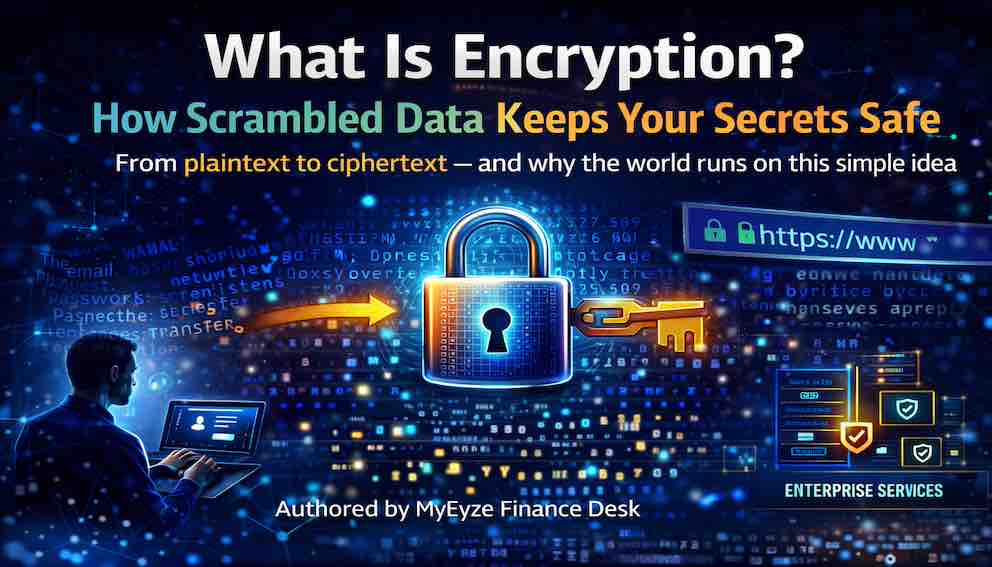
What Is Encryption? How Scrambled Data Keeps Your Secrets Safe
From plaintext to ciphertext — and why the world runs on this simple idea
Every time you check your bank balance, send a message, or visit a website with a padlock icon in the address bar, you are using encryption. It is one of the most important technologies you never see. Encryption is the process of scrambling readable data — called plaintext — into an unreadable format called ciphertext. Only someone with the correct mathematical key can unscramble it back into something readable. Everyone else sees only gibberish. This simple idea protects your passwords, your credit card numbers, your private messages, and the confidential files on your laptop. Without encryption, the internet would be a vast public library where every conversation, every transaction, and every secret was visible to anyone who cared to look. This article explains what encryption is, why it matters, where it shows up in your daily life, and how its two main types work together to keep modern systems secure.
A Simple Story: The Locked Box
Imagine you want to send a private letter to a friend across town. You do not want anyone else to read it.
You put the letter inside a metal box, close it with a padlock, and send it. Anyone who intercepts the box sees only a locked container. They cannot read your letter. Only your friend, who has the key, can open the box and read what you wrote.
That is encryption.
The letter is the plaintext — the original, readable message. The locked box is the ciphertext — the scrambled, unreadable version. The padlock and key are the cryptographic key — the secret that controls who can access the data.
When you lock the box, you are encrypting. When your friend unlocks it, they are decrypting.
This is all encryption does. It does not hide that a message exists. It does not stop someone from destroying the box. It simply ensures that only the intended recipient can read what is inside.
Why Encryption Matters
Encryption provides three essential guarantees that make modern digital life possible.
Confidentiality
Only the intended recipient can read the data. A hacker who intercepts an encrypted message sees only random characters. A stolen laptop with an encrypted drive reveals nothing to the thief. A database of encrypted customer records is useless to an attacker without the keys.
Confidentiality is why you can type your credit card number into a website without worrying about every router between you and the server reading it.
Integrity
Encryption can detect whether a message was altered in transit. If someone tries to modify an encrypted message — changing a number in a bank transfer, for example — the decryption process fails or produces obvious garbage. The recipient knows something is wrong.
This prevents attackers from tampering with data silently.
Authentication
Certain encryption techniques can also prove who sent a message. If you encrypt something with your private key, and someone else can decrypt it with your public key, they know the message came from you. This is how digital signatures work.
Not all encryption provides authentication on its own. But when combined with the right cryptographic tools, it helps establish trust between parties who have never met in person.
These three guarantees — confidentiality, integrity, and authentication — are the foundation of secure communication.
Where You Use Encryption Every Day
Encryption is not a niche technology for security professionals. It runs constantly on your devices, in two distinct contexts: data in transit (moving across a network) and data at rest (stored on a device or server). Both matter, and both are worth understanding.
Web browsing (HTTPS). When you see a padlock icon in your browser's address bar, the connection to that website is encrypted. Every page you load, every form you submit, and every image you see travels over an encrypted channel. Anyone eavesdropping on your network sees only scrambled data.
Messaging apps. WhatsApp, Signal, and iMessage use end-to-end encryption. Your message is encrypted on your phone and only decrypted on the recipient's phone. Even the company running the service cannot read your messages.
Disk encryption. When you set a password on your laptop or phone, you are usually enabling disk encryption. The operating system scrambles everything stored on the device. If your laptop is stolen, the thief cannot read your files without your password — this is encryption protecting data at rest.
Wi-Fi security. Your home Wi-Fi password does not just control who joins your network. It encrypts every packet of data sent between your device and the router, preventing neighbours or nearby attackers from reading your traffic.
Password storage. When you create an account on a website, a well-run site does not store your actual password. Instead, it runs your password through a one-way hashing function — a related but distinct concept from encryption — so that if the database is stolen, attackers cannot simply read your credentials. The distinction matters: hashing is one-way and cannot be reversed, whereas encryption is designed to be decrypted with the right key.
Encryption, in one form or another, is everywhere. You just never see it working.
The Two Main Types of Encryption
Not all encryption works the same way. The two fundamental approaches solve different problems, and modern systems use both.
Symmetric Encryption: One Key for Everything
Symmetric encryption uses a single secret key to both lock and unlock data. The same key that scrambles a message also unscrambles it.
Think back to the lockbox story. You lock it with a padlock, and your friend uses the same key to open it. The key is symmetric — it works in both directions.
Symmetric encryption is very fast. It can encrypt gigabytes of data per second on modern hardware, which makes it ideal for protecting large volumes of information: disk drives, databases, video streams, and network traffic.
The challenge is key distribution. Before you can send an encrypted message to someone, you must already have a secure way to share the key with them. If you send the key over the same insecure channel as the message, an attacker can intercept both.
Asymmetric Encryption: Public and Private Keys
Asymmetric encryption uses two mathematically related keys — a public key and a private key. Data encrypted with one key can only be decrypted with the other.
Imagine a public mailbox with a wide-open slot. Anyone can drop a letter in. But only the owner can retrieve it, using their private key. You never share a secret. You just find your friend's public mailbox, drop your message in, and walk away.
Asymmetric encryption solves the key distribution problem entirely. You can publish your public key anywhere — on a website, in a directory, or in an email signature. Anyone can use it to send you an encrypted message. Only you, with your private key, can read it.
The trade-off is speed. Asymmetric encryption is considerably slower than symmetric encryption, especially for large amounts of data. It is never used for bulk encryption on its own.
Hybrid Encryption: The Best of Both Worlds
Almost every secure system you use combines both approaches.
During the TLS handshake that secures your web browsing, your browser and the website use asymmetric encryption to agree on a temporary symmetric key. Once both sides hold that key, they switch to fast symmetric encryption for the rest of the session. The asymmetric step solves the key distribution problem. The symmetric step handles the volume of data.
This is how HTTPS works. This is how SSH works. This is how encrypted messaging works. Asymmetric encryption builds trust; symmetric encryption moves the data.
Modern TLS connections also make use of a property called forward secrecy: the session key is generated fresh for each connection and never stored. Even if an attacker records your encrypted traffic today and later obtains your server's private key, they still cannot decrypt past sessions. Forward secrecy is a meaningful protection worth knowing about, particularly if you handle sensitive data professionally.
Common Encryption Algorithms
You do not need to understand the underlying mathematics to use encryption, but algorithm names appear frequently in documentation, configuration files, and security audits. Recognising them — and knowing roughly what each one is for — is useful.
AES (Advanced Encryption Standard) is the most widely used symmetric encryption algorithm today. It comes in key sizes of 128, 192, and 256 bits. AES-256 is considered the gold standard for bulk data encryption and you will find it in disk encryption tools, Wi-Fi security protocols, file compression utilities, and TLS connections.
ChaCha20 is a modern symmetric algorithm designed to be fast on devices without dedicated hardware acceleration — particularly mobile phones. It is used in TLS connections on mobile devices and in messaging apps including Signal and WhatsApp. Where AES dominates on devices with hardware support, ChaCha20 often wins on those without it.
RSA is the most widely deployed asymmetric algorithm and is used for key exchange, digital signatures, and certificate authorities. RSA with 2,048-bit keys is the current accepted minimum. RSA with 1,024-bit keys is considered inadequate by modern standards and should not be used in any new system.
ECC (Elliptic Curve Cryptography) is a family of asymmetric algorithms that achieve equivalent security to RSA with substantially smaller keys. A 256-bit ECC key provides roughly the same protection as a 3,072-bit RSA key, which makes it faster and more efficient — particularly important on constrained devices. ECC is the preferred choice for new systems.
Diffie-Hellman is a key exchange protocol that allows two parties who have never communicated before to agree on a shared symmetric key over an insecure channel. It is the mathematical foundation of hybrid encryption and, in its elliptic curve variant (ECDH), the basis of forward secrecy in modern TLS.
You do not need to implement any of these yourself. The libraries and tools you use — the TLS stack in your browser, the encryption libraries in your programming language, established tools like OpenSSL — handle the algorithms. Your job is to understand what they do and when each is appropriate.
Why so many algorithms?
Encryption algorithms are not interchangeable. Each solves a different problem. Symmetric algorithms (AES, ChaCha20) are fast and used for encrypting large amounts of data — but they require both parties to have the same key. Asymmetric algorithms (RSA, ECC) solve the key distribution problem — you can share public keys openly — but they are too slow for bulk data. Key exchange protocols (Diffie-Hellman) allow strangers to agree on a shared secret without ever transmitting it, but they do not authenticate identities on their own. You need all of them working together. A typical secure connection uses asymmetric algorithms to verify identity, key exchange to establish a shared secret, and symmetric algorithms to encrypt the actual data.
How do you choose?
The answer depends on what you are building. In many cases, you do choose algorithms directly. When configuring a Spring Authorization Server, you select which algorithms to use for signing tokens (RS256, ES256, etc.). When implementing file encryption, you choose whether to use AES-256-GCM or ChaCha20-Poly1305. When generating SSH keys, you decide between RSA, Ed25519, or ECDSA. Your choices matter. The general guidance is: use AES-256 or ChaCha20 for symmetric encryption; use ECC (P-256 or Ed25519) for asymmetric operations where supported, falling back to RSA-2048 or higher for compatibility; use ephemeral Diffie-Hellman (ECDHE) for key exchange to ensure forward secrecy. Avoid anything with 1,024-bit keys, MD5, SHA-1, RC4, or DES. When you are unsure, follow the defaults of well-established libraries — they are usually secure. But understand what those defaults are and why they were chosen.
A Note on Quantum Computing
Current encryption standards are built on mathematical problems that are extremely hard for today's computers to solve. Quantum computers, which remain early-stage but are advancing, could eventually break certain algorithms — particularly RSA and ECC as currently implemented.
This is not an immediate crisis for most people, but it is actively being addressed. Standards bodies including NIST have already begun certifying post-quantum cryptographic algorithms designed to resist quantum attacks. If you work in security, keeping an eye on this transition is worthwhile. For everyday use, current encryption remains robust.
What Encryption Does Not Do
Encryption is powerful, but it is not a complete security solution. Understanding its limits is as important as understanding its strengths.
It does not hide that communication is happening. An attacker can see that you sent an encrypted message, roughly how large it was, and when you sent it. They cannot read the contents, but the metadata itself can be revealing.
It does not prevent deletion or corruption. An attacker can still delete your encrypted files or corrupt your encrypted database. Encryption protects confidentiality, not availability.
It does not secure compromised endpoints. If someone steals your phone while it is unlocked, or installs malware on your computer, encryption offers no protection. The attacker is already inside the trusted environment where decryption happens. Encryption at rest protects a powered-off device. It does not protect an active session.
It does not fix poor key management. The strongest encryption in the world protects nothing if the key is stored in the same place as the data, shared carelessly, or left unprotected. Key management is where many real-world encryption failures occur.
Encryption is a critical tool, but it is one layer of security — not the entire wall.
The Simple Rule to Remember
Encryption solves a fundamental problem: how to keep data secret when you cannot control the channel it travels through or the device it sits on.
The locked box captures the essence. Put your data in a box. Lock it with a key. Send the box. Only someone with the right key can open it.
That is encryption. Everything else is detail.
What to Read Next
You now understand what encryption is, why it matters, and the difference between symmetric and asymmetric approaches. The natural next question is: when should you use each, and how do you choose the right algorithm for a given situation?
The next article in this series covers symmetric versus asymmetric encryption in depth, including key sizes, performance trade-offs, and real-world use cases.
The Bottom Line
Encryption scrambles readable data into unreadable ciphertext using a mathematical key that only the intended recipient possesses. It protects your web traffic, your messages, your stored files, and your credentials. It runs billions of times a day without you noticing.
Two main types do the work. Symmetric encryption is fast and ideal for large volumes of data, but requires a secure way to share the key in advance. Asymmetric encryption solves key distribution using a public-private key pair, but is slower and not suited to bulk data. Modern systems use both: asymmetric encryption to establish trust and exchange a session key, symmetric encryption to handle everything after that.
Encryption does not hide the fact that communication is happening, does not prevent deletion or tampering at the infrastructure level, and does not protect endpoints that have already been compromised. But for the problem it is designed to solve — keeping secrets secret across untrusted channels — it remains the only tool that works.
Every locked box needs a key. Every encrypted message needs a recipient who can unlock it. That simple idea is what made the modern internet possible.
About N Sharma
Lead Architect at StackAndSystemN Sharma is a technologist with over 28 years of experience in software engineering, system architecture, and technology consulting. He holds a Bachelor’s degree in Engineering, a DBF, and an MBA. His work focuses on research-driven technology education—explaining software architecture, system design, and development practices through structured tutorials designed to help engineers build reliable, scalable systems.
Disclaimer
This article is for educational purposes only. Assistance from AI-powered generative tools was taken to format and improve language flow. While we strive for accuracy, this content may contain errors or omissions and should be independently verified.