
Learning Paths
Last Updated: June 2, 2026 at 13:00
Micronaut Testing Explained for Spring Boot Developers
Learn unit testing, @MicronautTest, Testcontainers, WireMock, HTTP endpoint testing, Kafka testing, and configuration testing through familiar Spring Boot comparisons
Micronaut's fast startup times change the way many developers approach testing. Instead of reserving integration tests for a small subset of scenarios, developers can often run full application-context tests throughout the development cycle without significant overhead. In this guide, you'll learn how to test Micronaut applications at every level — from isolated unit tests and dependency injection wiring to REST APIs, databases, Kafka consumers, and end-to-end workflows — while understanding how each approach compares to familiar Spring Boot testing patterns.
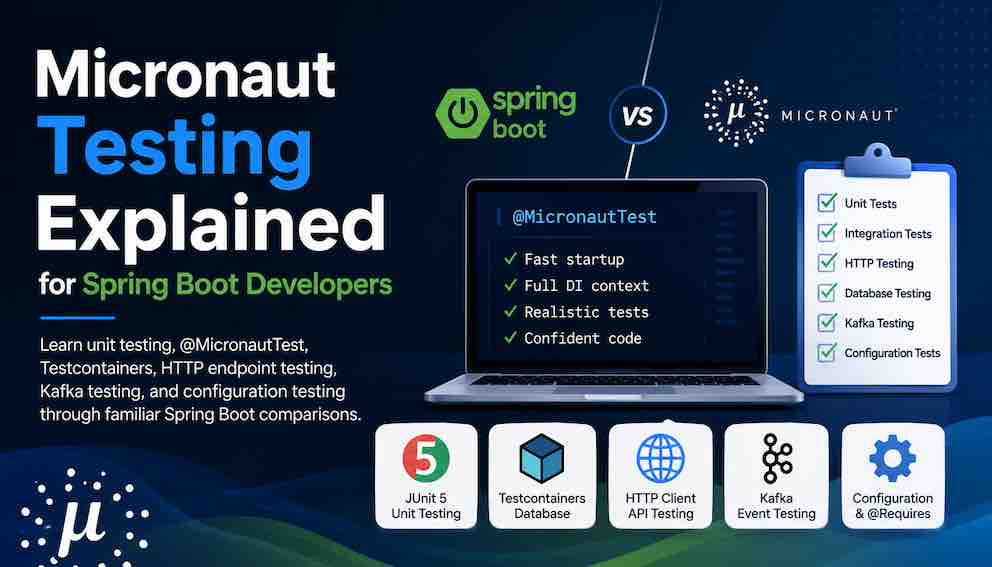
The testing philosophy
Micronaut's test support is built around one central idea: the application context starts fast enough to use in most tests.
While the testing pyramid still applies, Micronaut's fast startup times make integration-style testing less expensive than in many traditional enterprise frameworks. A @MicronautTest context typically starts significantly faster than an equivalent Spring Boot test context, often making broader integration testing practical even during local development. The exact startup time depends on factors like bean count, Flyway, Hibernate/JPA, Testcontainers, and environment configuration — some Micronaut test contexts will still take multiple seconds in complex applications.
That said, the full testing pyramid still applies. This article covers each layer in order, from the fastest and most isolated to the slowest and most realistic.
Setup: common test dependencies
1. Unit tests — no application context
Unit tests verify a single class in complete isolation. No Micronaut context is started, no database, no HTTP server. These are the fastest tests you have — they should run in milliseconds.
The key insight: because Micronaut uses constructor injection, your classes are plain Java objects. You instantiate them directly in tests and pass mock dependencies via the constructor. No @SpringRunner, no @ExtendWith(MockitoExtension.class) required — though Mockito still helps.
Testing a service with mocked dependencies
Key point: Notice there is no @MicronautTest, no @ExtendWith, and no @Inject. This is plain JUnit 5 with Mockito. Constructor injection is what makes this possible — the service has no hidden Micronaut magic to satisfy.
Testing domain logic and utility classes
2. Integration tests — with the Micronaut context
Integration tests start the Micronaut application context using @MicronautTest. The full DI container is active, beans are wired, and @Requires conditions are evaluated.
The rule of thumb used throughout this article: use a real database (via Testcontainers, covered in section 3) rather than mocking your repositories. Mocking persistence tends to produce tests that pass even when your queries are wrong. The one category where mocking remains the right call is outbound HTTP calls — third-party services you don't own, and other microservices in your own system that you're not trying to test here. In both cases the problem is the same: a real call would make the test slow, flaky, or dependent on infrastructure that isn't the subject of the test. For those, WireMock is the right tool.
Mocking an external HTTP API with WireMock
Imagine your ShippingService calls an external carrier API to get a shipping quote. You don't want real HTTP calls in your test suite, but you do want to verify that your service correctly parses the response, handles errors, and passes the right request.
WireMock works exactly that way: it spins up an embedded or standalone HTTP/HTTPS server locally (or on a remote host). You then define configuration rules (known as stubs) to tell it how to react when it receives matching API requests. You point your Micronaut HTTP client at it by overriding the base URL via TestPropertyProvider.
One important detail: Micronaut resolves configuration before the test method executes, so the WireMock server must be started statically before context initialisation. TestPropertyProvider.getProperties() is called at the right moment — before the context starts — which makes it the correct hook for passing the dynamic port.
Key point: The third test above — sendsCorrectPayloadToCarrierApi — is something you can't easily do with a Mockito mock on a Java interface. WireMock lets you assert on the actual serialised HTTP request that left your application, which catches mapping errors that in-process mocks would miss entirely.
WireMock vs MockServer: Both tools serve equally well for this use case. WireMock tends to be more familiar to developers coming from the Spring ecosystem; MockServer is a strong alternative with a slightly different DSL and built-in support for request sequence verification. If your team already uses MockServer, there's no reason to switch.
The equivalent stub in MockServer looks like this:
The structure is the same as WireMock: start a server, define stubs, point your client at the local URL. The choice between them is mostly team familiarity and DSL preference.
Using @MockBean for non-HTTP collaborators
@MockBean is still the right choice for internal beans that have side effects you don't want in a test — for example, a NotificationService that sends real emails, or an AuditLogger that writes to an external audit system. The key distinction: use @MockBean when the collaborator is an internal bean with an unwanted side effect; use WireMock when the collaborator makes an outbound HTTP call.
Lightweight bean testing without @MicronautTest
Experienced Micronaut developers often test individual beans using ApplicationContext.run() directly, without the full @MicronautTest annotation. This is a distinctly Micronaut pattern that many Spring developers haven't encountered before:
This is useful when you want to verify that a bean can be constructed and resolved from the container, without starting the embedded HTTP server and without the full test harness provided by @MicronautTest. The try-with-resources block ensures the context is closed cleanly after the test.
3. Database tests — with Testcontainers
Database tests run against a real PostgreSQL instance managed by Testcontainers. They verify repository queries, transactions, constraints, and Flyway migrations.
Test configuration
src/test/resources/application-test.yml:
The jdbc:tc: URL prefix is all you need — Testcontainers pulls the PostgreSQL Docker image, starts a container, and tears it down after the test run. No manual container management required.
A word on in-memory databases
Some teams reach for an in-memory database like H2 (in PostgreSQL compatibility mode) when they want tests to run faster or when a Docker daemon isn't available — on a locked-down CI pipeline, for example, or a contributor machine where Docker isn't installed. This is a real and understandable pragmatic choice, but it comes with a meaningful tradeoff: you're no longer testing against the database your application actually runs on.
A note on Micronaut Test Resources
Modern Micronaut projects increasingly use Micronaut Test Resources as an alternative to managing Testcontainers manually. It's worth understanding what it actually does: Test Resources intercepts your datasource configuration at test time, detects that a real database server isn't available, and automatically starts the appropriate Docker container on your behalf — no @Container annotations, no TestPropertyProvider, no URL wiring.
To appreciate what it removes, here is the manual Testcontainers approach:
With Test Resources, the dependency changes and all of that lifecycle code disappears:
That's it. Micronaut starts a PostgreSQL container, injects the correct JDBC URL, and tears the container down when the test run completes. The container is also shared across test classes in the same run by default, which means you don't pay the startup cost multiple times.
The same mechanism works for Kafka, Redis, MongoDB, and several other infrastructure types — you declare what you need, and Test Resources provisions it. For Spring developers used to managing Testcontainers lifecycle manually, this feels like a significant quality-of-life improvement. It's one of the more distinctly Micronaut features worth adopting early if your project is greenfield or if you're finding the Testcontainers boilerplate growing unwieldy.
Testing a repository
Each test creates its own data and cleans up after itself — avoiding the shared state and ordering dependencies that make test suites fragile.
Spring comparison: Spring Boot offers @DataJpaTest for repository-slice tests that start only the persistence layer. In Micronaut, the equivalent pattern is @MicronautTest with a test datasource (as configured above). Micronaut doesn't have the same slice-testing culture as Spring, but it provides bean replacement, test environments, and Micronaut Test Resources for narrowing test scope when needed.
4. REST / HTTP tests
REST tests verify the full HTTP stack — routing, request binding, validation, status codes, response bodies, and error handling. When testing HTTP endpoints, @MicronautTest typically starts the embedded Netty server, allowing tests to make real HTTP calls against it.
Using a declarative test client
The cleanest approach is to define a @Client interface that mirrors your controller:
Testing with the raw HttpClient for response inspection
When you need to inspect response headers, status codes, or raw response bodies:
End-to-end REST + database test
When you need the full stack — HTTP → service → real database:
5. Kafka tests
Micronaut's Kafka integration includes first-class test support via @KafkaClient and a Kafka broker provided by Testcontainers.
Dependencies
The producer and consumer under test
Managing the Kafka broker
As with databases, you have two options: manage the container yourself with Testcontainers, or let Micronaut Test Resources handle it.
Manual approach — Testcontainers with TestPropertyProvider
You declare the container, implement TestPropertyProvider to wire the dynamic broker address into the context, and tear it down yourself:
With Micronaut Test Resources
Add the Test Resources dependency and declare Kafka in your test configuration. The container lifecycle, broker URL, and wiring are all handled automatically — the test class carries no infrastructure code at all:
The tests themselves are identical either way — the only difference is how the broker gets started. The examples below use the cleaner Test Resources form.
Testing producer and consumer
Key point: Kafka is always asynchronous. Avoid Thread.sleep() as your primary synchronisation strategy — it produces arbitrary wait times that make tests either slow or brittle. Use the Awaitility library (await().atMost(...)) to poll until a condition is met, which keeps tests deterministic and as fast as the system allows.
6. Configuration and conditional bean tests
7. Testing summary: which test type for what
Business logic in a single class → Unit test with plain JUnit 5 + Mockito
Beans wire correctly, DI container → Integration test with @MicronautTest + @MockBean for side-effectful internal beans
Lightweight bean resolution → ApplicationContext.run() without @MicronautTest
Outbound HTTP calls (external APIs, other microservices) → Integration test with @MicronautTest + WireMock
Repository queries, transactions, constraints → Database test with @MicronautTest + Testcontainers — prefer a real database whenever repository behaviour, SQL generation, migrations, or constraints are being tested
HTTP routing, status codes, validation, error handling → REST test with @MicronautTest + @Client
Full stack end-to-end (HTTP → DB) → E2E test with @MicronautTest + Testcontainers
Kafka producer publishes correct events → @MicronautTest + Testcontainers Kafka + Awaitility
Configuration loads and validates correctly → Integration test with @MicronautTest + @Inject config class
8. Spring → Micronaut quick reference
Full context test Spring Boot: @SpringBootTest Micronaut: @MicronautTest
Mock an internal bean with side effects Spring Boot: @MockBean (annotation on a field) Micronaut: @MockBean (annotation on a method that returns the mock)
Stub an outbound HTTP call (external API or another microservice) Spring Boot: WireMock + @DynamicPropertySource Micronaut: WireMock + TestPropertyProvider to supply the dynamic port before context startup
Override a property Spring Boot: @TestPropertySource Micronaut: @Property(name=..., value=...)
Inject test HTTP client Spring Boot: TestRestTemplate / MockMvc Micronaut: @Client declarative interface or HttpClient
Error response assertion Spring Boot: MockMvc.perform(...).andExpect(status().is4xxClientError()) Micronaut: assertThrows(HttpClientResponseException.class, ...)
Repository-focused tests Spring Boot: @DataJpaTest Micronaut: @MicronautTest with a real Testcontainers datasource
Kafka test broker Spring Boot: Embedded Kafka (@EmbeddedKafka) Micronaut: Testcontainers KafkaContainer + TestPropertyProvider
Async assertion Both: Awaitility await().atMost(...) — framework-agnostic, works in Spring Boot and Micronaut equally
Inject app context Spring Boot: @Autowired ApplicationContext Micronaut: @Inject ApplicationContext or ApplicationContext.run()
What to explore next
Micronaut Security testing — testing JWT-protected endpoints with @Secured, and injecting test tokens
WireMock advanced patterns — request templating, stateful scenarios, and fault simulation for more complex external API contracts
Test transactions — using @TransactionScope to roll back database state after each test method without deleteAll()
Micronaut OpenAPI — generating and asserting against the compiled Swagger spec as a contract test
About N Sharma
Lead Architect at StackAndSystemN Sharma is a technologist with over 28 years of experience in software engineering, system architecture, and technology consulting. He holds a Bachelor’s degree in Engineering, a DBF, and an MBA. His work focuses on research-driven technology education—explaining software architecture, system design, and development practices through structured tutorials designed to help engineers build reliable, scalable systems.
Disclaimer
This article is for educational purposes only. Assistance from AI-powered generative tools was taken to format and improve language flow. While we strive for accuracy, this content may contain errors or omissions and should be independently verified.