
Learning Paths
Last Updated: June 2, 2026 at 13:00
Micronaut Data JDBC and JPA: Database Access for Spring Boot Developers
Build PostgreSQL-backed Micronaut applications using Micronaut Data, Flyway migrations, repositories, and transactions — while understanding how Micronaut's compile-time approach differs from Spring Data
If you're coming from Spring Boot, database access is one of the first areas where Micronaut feels both familiar and surprisingly different. In this guide, you'll learn how to connect Micronaut to PostgreSQL, manage schema changes with Flyway, and build repositories using Micronaut Data JDBC and JPA. Along the way, you'll see how Micronaut's compile-time repository generation reduces startup overhead and catches many errors before your application ever runs.
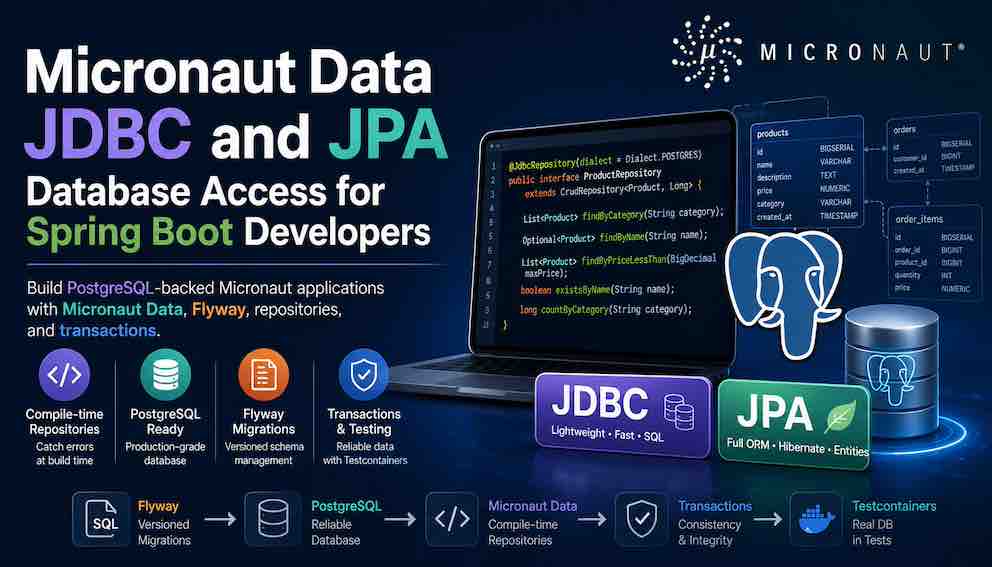
Two paths for relational database access
Micronaut gives you two distinct approaches, and understanding the tradeoffs upfront will help you pick the right one for your situation.
Micronaut Data JDBC sits on top of plain JDBC. Query generation happens entirely at compile time, startup overhead is minimal, and there is no Hibernate persistence context in play. Think of it as the Micronaut equivalent of Spring Data JDBC.
Micronaut Data JPA brings in Hibernate ORM. It gives you the full ORM feature set — lazy loading, a managed entity lifecycle, complex object graphs, and inheritance mapping. Think of it as the Micronaut equivalent of Spring Data JPA.
This article covers both, beginning with JDBC.
Why Micronaut Data feels different
Before looking at any code, this concept is worth understanding clearly, because it affects everything else.
In Spring, when you write an interface like ProductRepository extends JpaRepository<Product, Long>, Spring discovers that interface at startup, parses your method names at startup, and generates a proxy implementation at runtime. Mistakes in your query methods are caught when the application boots — or sometimes only when that method is first called.
In Micronaut, the annotation processor runs during compilation. When you write ProductRepository extends CrudRepository<Product, Long>, Micronaut generates the SQL and the repository implementation class before your application ever starts. If you write a method like findByNonExistentField(...), the build fails. Your IDE shows a compile error.
The practical consequences of this are significant. Startup is faster because there is nothing to discover or generate at runtime. Query mistakes are caught during ./gradlew build, not in production. The tradeoff is that the annotation processor must be configured correctly — more on that in the setup section.
Project setup
Dependencies
For Micronaut Data JDBC with PostgreSQL, your build.gradle should include the following:
The critical detail here is micronaut-data-processor as an annotationProcessor, not just implementation. Without this, Micronaut Data cannot generate your repository implementations at build time. The application will fail to start with an unsatisfied bean error because no implementation exists for your repository interface. This is one of the most common early mistakes.
Data source configuration
In application.yml:
The ${ENV_VAR:default} syntax reads an environment variable and falls back to the default value if it is not set — useful for local development without having to export every variable.
Flyway migrations
Flyway manages your schema evolution through versioned SQL scripts. Micronaut auto-runs Flyway on startup once you set flyway.datasources.default.enabled: true. No extra code is needed, which is the same behaviour as Spring Boot.
Place migration scripts in src/main/resources/db/migration/. The naming convention is strict:
The double underscore between the version number and description is required. Some examples:
Version numbers must be unique and strictly increasing. Flyway tracks which scripts have already run in a flyway_schema_history table it manages itself. On each startup it applies any scripts it has not yet run, in version order.
Here is a typical first migration:
The migration scripts themselves are identical to what you would write in a Spring Boot project — Flyway is framework-agnostic.
Micronaut Data JDBC
The entity
The key annotation to notice is @MappedEntity instead of @Entity. This distinction matters beyond naming. @Entity carries Hibernate semantics — lazy loading, a managed entity lifecycle, and a first-level cache. @MappedEntity is a plain mapping with none of that overhead. There is no persistence context tracking your objects in the background.
Other annotations map directly to Spring equivalents: @DateCreated auto-populates on insert like Spring Auditing's @CreatedDate, and @DateUpdated auto-populates on update like @LastModifiedDate. If you need both timestamps, add @DateUpdated private LocalDateTime updatedAt; alongside createdAt — Micronaut handles the rest.
The repository
CrudRepository<T, ID> gives you save(), findById(), findAll(), deleteById(), and count() out of the box — same as Spring Data's JpaRepository.
The derived query methods are parsed and converted to SQL at compile time. If you write findByNonExistentField(...), the build fails rather than throwing an exception at runtime. The @JdbcRepository(dialect = Dialect.POSTGRES) annotation replaces the optional @Repository stereotype from Spring and is what triggers the annotation processor to generate the implementation. The dialect can often be auto-detected from your datasource configuration, making the parameter optional — but declaring it explicitly removes any ambiguity and is a good habit.
Pagination and sorting
Switch to PageableRepository and add a Pageable parameter:
Using it in a service:
Custom queries with @Query
When derived method names cannot express the query you need, use @Query with named parameters:
Note that modifying queries should return long or int to get the number of affected rows, or void if you do not need that count.
Transactions
Annotate service methods with @Transactional from jakarta.transaction:
Spring uses @Transactional from org.springframework.transaction.annotation. Micronaut uses the standard jakarta.transaction.Transactional. The transaction semantics are largely familiar to Spring developers, but the implementation differs: Micronaut generates the transaction interception infrastructure at build time rather than relying on runtime proxy generation.
One important difference in rollback behaviour: jakarta.transaction.Transactional rolls back only on unchecked exceptions (RuntimeException and its subclasses). Checked exceptions do not trigger a rollback by default. Spring's @Transactional behaves the same way, but Spring developers who have used rollbackFor = Exception.class should be aware this needs to be applied explicitly here too if you want checked exceptions to roll back the transaction.
Relationships in Micronaut Data JDBC
One area that surprises Spring developers immediately is relationships. In Spring Data JPA you reach for @OneToMany, @ManyToOne, and @ManyToMany and Hibernate manages the rest. Micronaut Data JDBC handles relationships differently because it has no Hibernate persistence context.
Micronaut Data JDBC encourages aggregate-oriented design: each aggregate root manages its own data, and you fetch related data explicitly rather than relying on lazy loading. Associations are supported, but there is no automatic dirty checking or transparent proxying.
If your use case genuinely requires complex object graphs, automatic lazy loading, and full ORM behaviour, Micronaut Data JPA is the better fit — that module does bring in Hibernate and its familiar semantics.
Micronaut Data JPA
When you need full Hibernate ORM — complex object graphs, lazy loading, inheritance mapping — switch to the JPA module.
Dependencies
Configuration
Always set hbm2ddl.auto: none and let Flyway manage the schema. Never let Hibernate generate or modify your database structure.
The entity
Standard JPA annotations — identical to what you would write in Spring Data JPA.
The repository
In Spring, @Repository is an optional stereotype. In Micronaut, @Repository is required to trigger the annotation processor to generate the implementation. Without it, you get an unsatisfied bean error at startup.
Spring to Micronaut quick reference
Entity annotation: Spring uses @Entity for JPA. Micronaut Data JDBC uses @MappedEntity. Micronaut Data JPA uses standard @Entity.
Primary key: Both use @Id and @GeneratedValue, with the same semantics.
Repository base interface: Spring uses JpaRepository<T, ID>. Both Micronaut modules use CrudRepository<T, ID>.
Repository trigger: In Spring, @Repository is optional. In Micronaut Data JDBC, use @JdbcRepository(dialect = ...). In Micronaut Data JPA, @Repository is required.
Query derivation: Spring parses method names at runtime. Micronaut parses them at compile time.
Custom queries: Spring's @Query accepts JPQL or SQL. Micronaut Data JDBC's @Query accepts SQL only. Micronaut Data JPA accepts JPQL or SQL.
Transactions: Spring uses org.springframework.transaction.annotation.Transactional. Micronaut uses jakarta.transaction.Transactional.
Auto-timestamps: Spring uses @CreatedDate with the Auditing module. Micronaut uses @DateCreated and @DateUpdated built in.
What to explore next
Micronaut Data R2DBC adds reactive, non-blocking database access for high-throughput services.
Multiple datasources covers connecting to more than one database in the same application.
Micronaut Cache adds @Cacheable on repository or service methods to cache query results in Redis or Caffeine.
Micronaut Security with data handles row-level filtering and tenant-aware datasource routing for multi-tenant applications.
About N Sharma
Lead Architect at StackAndSystemN Sharma is a technologist with over 28 years of experience in software engineering, system architecture, and technology consulting. He holds a Bachelor’s degree in Engineering, a DBF, and an MBA. His work focuses on research-driven technology education—explaining software architecture, system design, and development practices through structured tutorials designed to help engineers build reliable, scalable systems.
Disclaimer
This article is for educational purposes only. Assistance from AI-powered generative tools was taken to format and improve language flow. While we strive for accuracy, this content may contain errors or omissions and should be independently verified.