
Learning Paths
Last Updated: May 30, 2026 at 17:00
Micronaut Configuration Explained for Spring Boot Developers
Learn how application.yml, environment variables, @Value, @ConfigurationProperties, validation, environments, and conditional beans work in Micronaut — and exactly how they compare to Spring Boot
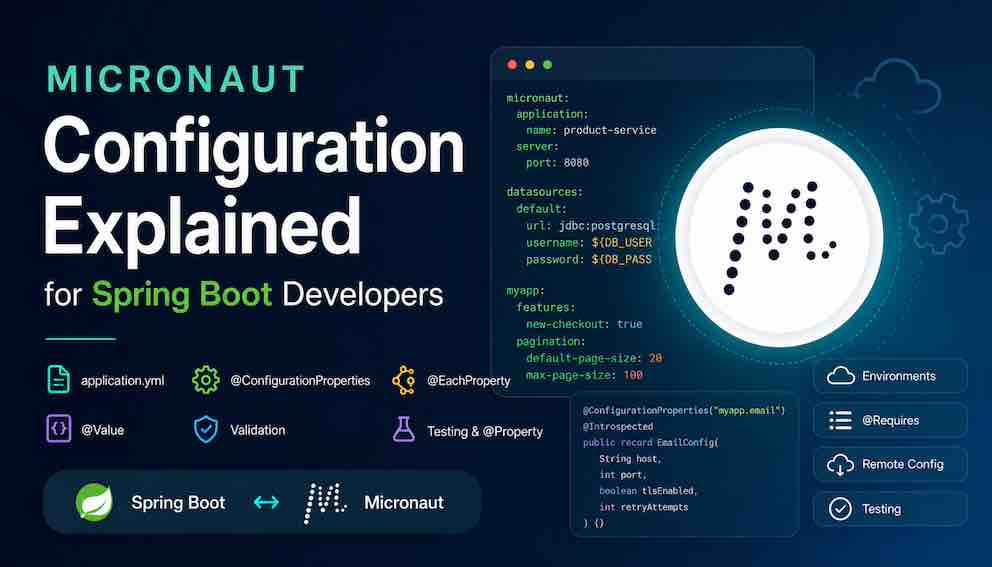
Configuration is one of the first things every Spring Boot developer needs to understand when learning Micronaut. Fortunately, the concepts are familiar: application.yml, environment-specific configuration, @Value, and typed configuration classes all exist in Micronaut. The difference is that Micronaut performs much of its configuration binding and metadata generation at compile time rather than relying on runtime reflection. This guide shows how Micronaut configuration works, where it differs from Spring Boot, and the patterns you will use in real applications.
The mental model
Micronaut's configuration system works on the same principles as Spring Boot: a hierarchy of property sources, environment-specific overrides, typed binding to POJOs, and support for external config in distributed systems. The key difference is that binding to typed configuration classes happens at compile time, not at runtime via reflection.
This means:
- Configuration classes use @ConfigurationProperties (Micronaut's own, not Spring's)
- Mistakes in property paths surface at startup as clear errors rather than silently leaving fields null
- The annotation processor generates binding code ahead of time, removing the need for reflection-based scanning at startup
If you already know @Value, @ConfigurationProperties, and application.yml from Spring Boot, almost everything here will map directly.
Property sources and resolution order
Micronaut reads properties from multiple sources and merges them in a defined priority order. In broad terms, from lowest to highest precedence:
- application.yml — always loaded, the baseline
- Environment-specific files (application-prod.yml, application-test.yml) — override the base file when that environment is active (set via MICRONAUT_ENVIRONMENTS=prod or -Dmicronaut.environments=prod; the test environment is activated automatically by @MicronautTest)
- External/remote configuration (Consul, AWS Parameter Store) — read at startup and merged on top of file-based config
- System properties (-Dmicronaut.server.port=9090) — override everything below
- Environment variables — override everything below
- Command-line arguments — highest precedence of all
This is the same cascade logic as Spring Boot. A value set as an environment variable always wins over application.yml. Remote config slots between file-based config and system properties — useful for centralised, runtime-adjustable values without redeploying.
Environment variable name mapping
Micronaut maps environment variable names to property paths using a convention identical to Spring Boot's relaxed binding. Dots become underscores and the name is uppercased:
- datasources.default.url → DATASOURCES_DEFAULT_URL
- myapp.feature.enabled → MYAPP_FEATURE_ENABLED
- micronaut.server.port → MICRONAUT_SERVER_PORT
application.yml basics
The ${ENV_VAR:default} syntax reads an environment variable and falls back to the provided default if the variable is not set. This is Micronaut's equivalent of Spring's ${ENV_VAR:default} — identical syntax, same behaviour.
Injecting individual properties with @Value
@Value works exactly as in Spring Boot:
The value inside @Value is a property placeholder expression. The :default part is optional but recommended — without it, a missing property throws an exception at startup rather than using a sensible fallback.
Spring difference: Spring's @Value is functionally identical. The Micronaut-specific nuance is that @Value injection is resolved via the annotation processor at compile time, so much more metadata is validated early. However, property placeholder resolution (looking up the actual value) still happens at startup — a missing required key is a startup error, not a build error.
Binding to a typed configuration class
For anything beyond a single value, binding a whole group of related properties to a typed class is far cleaner than injecting them one by one.
Mutable POJO style
application.yml:
Configuration class:
Inject and use it:
Spring difference: Spring's @ConfigurationProperties requires @EnableConfigurationProperties or @Component on the class. Micronaut's @ConfigurationProperties registers the class as a bean automatically — no extra annotation is needed. @Introspected is commonly added alongside it so Micronaut can generate compile-time bean introspection metadata; depending on your Micronaut version and binding style it may not always be strictly required, but it is safe to include and you will see it throughout the ecosystem.
Property name mapping
Micronaut maps kebab-case property names to camelCase fields, the same as Spring Boot's relaxed binding:
- tls-enabled → tlsEnabled
- retry-attempts → retryAttempts
- default-page-size → defaultPageSize
Immutable configuration with Java records
Modern Micronaut encourages immutable configuration, and Java records are the cleanest way to express it. No getters, no setters, immutable after startup — and a natural fit with Micronaut's compile-time philosophy:
Inject it the same way as the mutable version. For new code written against recent Micronaut versions, prefer the record style.
Validating configuration at startup
Because EmailConfig carries JSR-380 constraint annotations, Micronaut validates the bound values when the application starts — provided you have the Micronaut Validation dependency on the classpath. If host is missing or port is out of range, the application refuses to start with a clear error message.
Spring difference: Spring Boot requires @Validated on the configuration class to trigger validation. Micronaut triggers it automatically when the validation dependency is present and constraints exist on the class.
Nested configuration
For deeply nested config, you have two options.
Separate classes per prefix
Both classes are independent beans. Inject whichever one you need.
Nested static class (often nicer)
Micronaut also supports nesting configuration classes inside each other, which keeps related config co-located:
Spring developers expecting nested objects will find this pattern familiar and intuitive.
List and map configuration
Lists
Maps
Multiple named instances with @EachProperty
@EachProperty is one of Micronaut's most useful — and most distinctly Micronaut — configuration features. It lets you create one bean instance per named block under a given prefix. There is no direct Spring Boot equivalent.
Micronaut creates one DataSourceConfig bean named reporting and another named analytics. You can inject a specific instance by name using @Named, or inject a Collection<DataSourceConfig> to get all of them. This pattern shows up constantly in the Micronaut ecosystem for things like multiple datasources, multiple queues, or multiple HTTP clients.
Accessing the Environment directly
When you need to look up a property programmatically rather than through binding, inject Environment directly:
Spring developers will recognise this as the equivalent of injecting Spring's Environment — same idea, same use cases (dynamic lookups, checking active environments, iterating property names).
Environment-specific configuration
Activating environments
Micronaut has a concept of named environments that controls which property files are loaded. Set the active environment via a system property or environment variable:
Multiple environments can be active simultaneously:
Spring difference: Spring uses spring.profiles.active. Micronaut uses micronaut.environments. The semantics are identical — environment-specific files override the base file, and multiple environments can be active at once.
File resolution
When prod is active, Micronaut loads in this order, with later files winning:
Example environment files
application.yml — shared across all environments:
application-dev.yml — local development:
application-prod.yml — production:
application-test.yml — test suite:
Conditional beans with @Requires
@Requires lets you activate or deactivate entire beans based on property values or active environments. It is Micronaut's equivalent of Spring's @ConditionalOnProperty, @ConditionalOnClass, and @Profile — rolled into a single annotation.
Activate a bean when a property has a specific value
Activate a bean only in specific environments
Activate a bean only when a class is on the classpath
Spring difference: Spring spreads conditional logic across @ConditionalOnProperty, @ConditionalOnClass, @ConditionalOnMissingBean, @Profile, and others. Micronaut consolidates all of this into @Requires with different attributes — one annotation, many conditions.
Managing properties in tests
How @MicronautTest resolves configuration
When a test annotated with @MicronautTest starts, Micronaut activates the test environment automatically. This means application-test.yml is loaded on top of application.yml without any explicit activation:
Put test-specific overrides in application-test.yml and they apply to every test automatically. This is the primary mechanism for test infrastructure config — database URLs pointing at Testcontainers, mail ports pointing at MailHog, and so on.
Overriding individual properties per test with @Property
For properties that vary test by test, use @Property directly on the test class or method:
@Property on a test class applies to every test in that class. It can also sit on individual test methods for method-level overrides:
Spring difference: Spring uses @TestPropertySource(properties = "key=value") for the same purpose. @Property is Micronaut's equivalent — cleaner syntax, same semantics.
Injecting config classes directly in tests
Configuration classes are beans — inject them directly to verify that your YAML parses correctly:
This is a lightweight way to catch typos in property paths or missing required fields before they cause confusing errors elsewhere in your test suite.
A complete test showing all three override mechanisms together
Remote configuration
So far, all the configuration we have looked at lives in files bundled with the application — application.yml and its environment-specific variants. That works well for a single service, but in a distributed system running many services across many environments it quickly becomes a problem: changing a database password or toggling a feature flag means rebuilding and redeploying every service that references it.
Remote configuration solves this by storing properties in a centralised external store — HashiCorp Consul or AWS Parameter Store are the two most common choices. At startup, Micronaut reaches out to the store, fetches the relevant keys, and merges them into the normal property hierarchy at a high priority (above file-based config, as covered in the resolution order section). From that point on, your application code sees no difference — you still inject @Value or @ConfigurationProperties exactly as shown earlier. The source of the value is transparent to the bean receiving it.
The practical benefit is that you can update a value in the remote store and have it take effect on the next restart of any service that reads it, without touching any code or YAML files.
HashiCorp Consul
Consul is a service mesh tool that also ships a key-value store commonly used for centralised configuration. To use it with Micronaut, add the discovery client dependency:
Then tell Micronaut where your Consul instance is and that you want to use it as a config source:
With this in place, any key stored in Consul under /config is read at startup and merged into the property hierarchy. For example, if Consul holds /config/myapp/datasources/default/password, Micronaut maps that to the property datasources.default.password, just as if it had come from application.yml.
AWS Parameter Store
AWS Systems Manager Parameter Store is Amazon's equivalent — a managed service for storing configuration values and secrets, with built-in encryption for sensitive values. Add the AWS dependency:
Micronaut reads parameters whose path matches the application name (set via micronaut.application.name). Parameters stored as SecureString — the encrypted type, typically used for passwords and API keys — are decrypted automatically using the IAM role the application runs under, so no decryption code is needed in the application itself.
What your application code looks like
Nothing changes in your beans regardless of whether a value comes from a YAML file or a remote store:
This is the core benefit of keeping remote config in the same property hierarchy as file-based config. You write the application once against property keys, and the ops team decides at deploy time where those values actually come from.
Autoconfiguration: what replaces it in Micronaut
Spring Boot's autoconfiguration is one of its most recognisable features. You add spring-boot-starter-data-jpa to your build and Spring Boot automatically configures a DataSource, a JpaTransactionManager, and an EntityManagerFactory. Under the hood, this works through a dedicated runtime mechanism: Spring Boot loads a list of configuration classes from META-INF/spring/AutoConfiguration.imports, scans the classpath, checks conditions, and applies the relevant classes in a second pass after your own beans have been registered. It is a layer on top of the normal bean registration process.
Micronaut has no such mechanism. There is no AutoConfiguration.imports, no spring.factories, no second pass, and no runtime classpath scanning. The autoconfiguration layer simply does not exist.
This is the important shift in mental model. It is not that Micronaut replaced autoconfiguration with something similar — it is that the problem autoconfiguration solves is handled differently from the ground up, and the tool used is one you already know: @Requires.
Module beans are just beans
When you add micronaut-data-jdbc to your build, that module ships ordinary bean classes with @Requires conditions on them. Those conditions are evaluated by the same annotation processor that handles your own code, at compile time, as part of the normal build. There is no separate framework step, no discovery file, and no distinction between "framework beans" and "your beans" — they go through exactly the same process.
A module bean might look roughly like this:
You already understand every annotation on that class from the @Requires section earlier in this article. The fact that it lives in a library jar rather than your source tree is the only thing that makes it look like "autoconfiguration."
There is nothing to exclude
In Spring Boot, suppressing unwanted autoconfiguration requires explicitly opting out:
In Micronaut, there is nothing to exclude because there is no autoconfiguration registry to exclude from. A module bean that you do not want simply will not be created — either because you never set the properties its @Requires conditions depend on, or because you defined your own bean of that type and its missingBeans condition caused it to be skipped. You do not need to tell Micronaut to back off; it checks at compile time whether the conditions are met and generates no code for the bean if they are not.
Module properties live in the same application.yml
In Spring Boot, autoconfiguration classes own their own @ConfigurationProperties classes — DataSourceProperties, JpaProperties — which can make it feel like there is a separate configuration model for "framework configuration" versus "your configuration."
In Micronaut that distinction does not exist. Module beans read from the same property hierarchy as your own beans, using the same application.yml you have been working with throughout this article. datasources.default.url configures the JDBC module. micronaut.security.token.jwt.signatures.secret.generator.secret configures the security module. These are just property paths documented by each module — there is no separate layer they live in.
Spring → Micronaut quick reference
Base config file: application.yml in both.
Environment-specific file: Spring uses application-{profile}.yml; Micronaut uses application-{environment}.yml. Semantics are identical.
Activate environment: Spring uses spring.profiles.active; Micronaut uses micronaut.environments.
Single value injection: @Value("${key:default}") — identical in both.
Typed config class: Spring requires @ConfigurationProperties + @Component (or @EnableConfigurationProperties). Micronaut uses @ConfigurationProperties + optionally @Introspected; the class is auto-registered as a bean.
Validate config at startup: Spring requires @Validated on the config class. Micronaut validates automatically when the Micronaut Validation dependency is present and constraints exist on the class.
Conditional bean on property: Spring uses @ConditionalOnProperty; Micronaut uses @Requires(property=..., value=...).
Conditional bean on environment: Spring uses @Profile; Micronaut uses @Requires(env=...).
Multiple named config instances: Spring has no direct equivalent. Micronaut uses @EachProperty.
Test config file: Spring needs @ActiveProfiles("test") to load application-test.yml. Micronaut's @MicronautTest loads it automatically.
Per-test property override: Spring uses @TestPropertySource(properties=...); Micronaut uses @Property(name=..., value=...).
Autoconfiguration: Spring Boot uses @EnableAutoConfiguration + AutoConfiguration.imports, evaluated at runtime. Micronaut has no equivalent mechanism — modules ship as ordinary beans with @Requires conditions, processed at compile time.
Remote config (Consul): Spring Cloud Consul vs micronaut-discovery-client.
Remote config (AWS SSM): Spring Cloud AWS vs micronaut-aws-parameter-store.
About N Sharma
Lead Architect at StackAndSystemN Sharma is a technologist with over 28 years of experience in software engineering, system architecture, and technology consulting. He holds a Bachelor’s degree in Engineering, a DBF, and an MBA. His work focuses on research-driven technology education—explaining software architecture, system design, and development practices through structured tutorials designed to help engineers build reliable, scalable systems.
Disclaimer
This article is for educational purposes only. Assistance from AI-powered generative tools was taken to format and improve language flow. While we strive for accuracy, this content may contain errors or omissions and should be independently verified.