Learning Paths
Last Updated: April 3, 2026 at 15:30
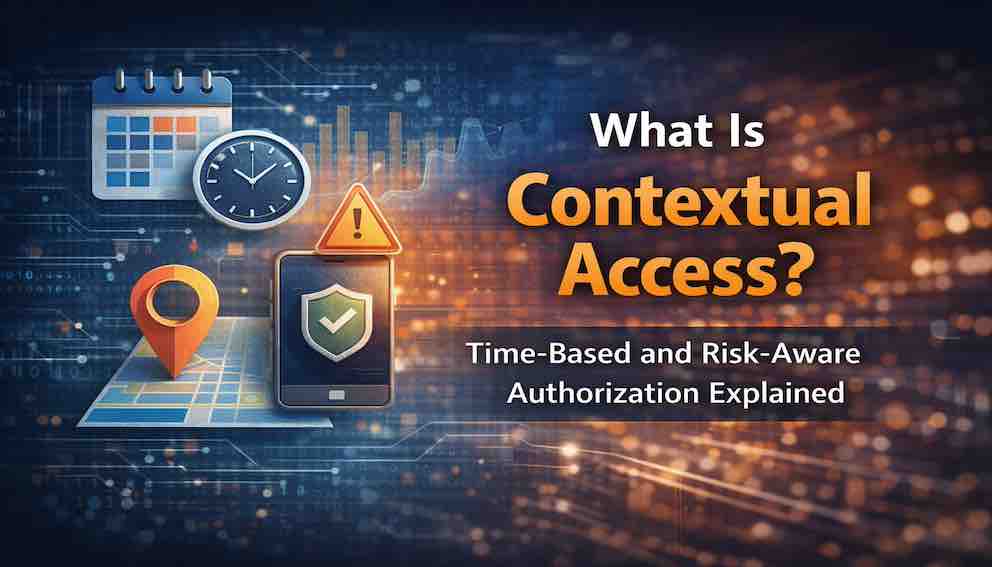
What Is Contextual Access? Time-Based and Risk-Aware Authorization Explained
How time, location, device health, and risk signals transform static permissions into adaptive, intelligent access control
Authorization has traditionally been binary — you either have permission or you don't. Contextual access changes that by factoring in where you are, when you're asking, what device you're using, and how unusual your request looks. The same manager approving an expense from their office at 2 PM and from an unknown device at 2 AM has the same role and the same permission — but those two requests should not be treated the same way. Contextual access is not about saying no more often; it's about saying yes with appropriate caution, matching friction to risk rather than applying the same rules to every situation
The Bank Teller
Imagine you are a bank teller. You have a drawer full of cash. You can access it during your shift — 9 AM to 5 PM, Monday through Friday. That makes sense. You do not need access at 3 AM on Sunday. The bank is closed.
Now imagine you try to log into the bank's system from a coffee shop across town. The system notices: this is not the branch network. It asks for an additional verification — a code sent to your manager's phone. You are still allowed to work, but the system is paying closer attention.
Now imagine you try to transfer one million dollars to an overseas account. You have never done this before. The system blocks the transaction entirely and alerts your manager.
This is contextual access. The same person, with the same role, is treated differently based on when they are asking, where they are asking from, what they are asking to do, and how risky the request appears.
Contextual access is not a separate authorization model. It is a capability that builds on RBAC, ABAC, and policy engines. It adds the dimension of environment — the "where, when, and under what circumstances" of the request.
What Is Contextual Access?
Contextual access — also called context-aware authorization — is the practice of evaluating environmental attributes when making authorization decisions. Those attributes include time, location, device health, network source, and risk signals.
In simpler terms: the answer to "can I do this?" depends not only on who you are, but on where you are, when you are asking, what device you are using, and how risky the request appears.
Without context: "Managers can approve expenses."
With context: "Managers can approve expenses during business hours, from the corporate network, using a managed device, and only for amounts under $10,000. Approvals outside these parameters require additional verification or escalation."
Contextual access is what makes authorization feel intelligent. It is the difference between a system that says only "allowed" or "denied" and a system that adapts to the situation.
The role of ABAC in context: ABAC provides the framework for evaluating attributes, but this article focuses specifically on which environmental attributes matter and how to use them effectively.
The Problem with Static Authorization
Traditional authorization models — even sophisticated ones like RBAC and ABAC — often treat every request as identical. If a user has permission to do something, they have that permission at 3 AM from a coffee shop in a foreign country, just as much as at 2 PM from their office desk. This creates three compounding problems.
Over-permission. To accommodate legitimate edge cases, you grant broad permissions. A manager needs to approve an urgent expense from home on a Sunday? You give them approval permission at all times, from everywhere. Now compromised credentials can be used at 3 AM from anywhere in the world.
No risk differentiation. A login from the corporate network is treated the same as a login from a known malicious IP address. A request to view a public document is treated the same as a request to export thousands of customer records. The system has no way to say "this is normal" versus "this is suspicious."
One-size-fits-all security. Every user gets the same security requirements, regardless of what they are doing. This frustrates legitimate users and encourages workarounds.
Contextual access solves these problems by introducing environmental attributes into the authorization decision. The system can now say: "This request is normal — allow it." "This request is slightly unusual — require step-up authentication." "This request is highly suspicious — block it and alert security."
The user's permissions do not change. The context changes. And the system's response changes with it.
The Dimensions of Context
Contextual access considers multiple dimensions. Each provides a different signal about the legitimacy of a request.
Time
Time is the simplest contextual attribute, but it is surprisingly powerful. It tells you whether a request is happening during normal business hours, on a weekend or holiday, at an unusual hour, or outside a contractor's agreed access window.
Example policies: employees can access payroll data only between 9 AM and 5 PM on weekdays; contractor accounts expire automatically after 90 days; database administrators can access production servers only during maintenance windows.
One important implementation note: a strict 9-to-5 policy might block a manager working late to meet a deadline. Design an after-hours step-up flow rather than a hard block wherever possible. Also, use UTC for policy evaluation rather than local system time — an attacker who can manipulate the system clock could otherwise bypass time-based restrictions. And be thoughtful about time zones: a user traveling internationally should not be locked out simply because their clock changed.
Location
Location can be physical — GPS coordinates, country, city — or logical: network zone, IP address range, VPN status.
Example policies: sensitive document access is allowed only from the corporate network; access from outside a defined region requires step-up MFA; VPN access is blocked from countries on the restricted list; administrative actions from non-corporate IP addresses are logged and alerted.
Location signals require careful handling. IP addresses can be spoofed, and legitimate users often use VPNs that place them in unexpected geographies. Do not rely on IP alone for high-security decisions. Combining location with other signals — device posture, time of day, behavioral baseline — produces far more reliable results. Collecting location data also carries privacy obligations; be transparent with users about what is gathered and why, and provide appeal paths for false positives.
Device
Device attributes tell you about the endpoint making the request: whether it is managed by the organization, compliant with security policies, running a supported operating system, or has been jailbroken.
Example policies: access to customer data requires a managed device with full disk encryption; non-compliant devices receive read-only access to non-sensitive data; developers can deploy to staging from any device, but production deployment requires a managed device.
Device checks should be cached and fast — do not run full compliance scans on every request. Jailbreak detection can produce false positives, so maintain a clear support path for users whose devices are incorrectly flagged.
Network
Network attributes describe the connection path: whether the request comes from a trusted IP range, uses a sufficiently secure TLS version, originates from a known malicious address, or arrives through a VPN.
Example policies: API requests from non-corporate IPs require keys with restricted scopes; connections using TLS 1.0 or 1.1 are rejected; requests from IP addresses associated with recent attacks are blocked for 24 hours.
Risk Signals
Risk signals are the most sophisticated contextual dimension. They come from real-time analysis of behavior, threat intelligence, and anomaly detection.
The most reliable risk signals include impossible travel — a login from New York followed by one from London within an hour — as well as unusual login times, unfamiliar devices, mass downloads, accessing unfamiliar resource types, credentials appearing in known breach databases, and request volumes that are implausible for a human user.
Example policies: users with behavioral anomaly scores above a defined threshold require step-up authentication; mass downloads trigger an alert and require a second approval; accounts showing impossible travel have all active sessions terminated.
Risk models must be updated continuously as user behavior evolves. A user who normally works from home might start commuting to an office. The model must adapt. Risk thresholds should also be dynamic rather than fixed: a score that warrants blocking a $100,000 wire transfer might be perfectly acceptable for viewing a document. And test regularly for bias — risk models can inadvertently penalize users with non-standard working patterns, such as night shifts or remote work in unusual time zones.
How Contextual Access Works
Contextual access integrates with your existing authorization system as an additional evaluation layer, not a replacement for RBAC, ABAC, or ACLs. A request passes through three stages.
First, core authorization asks the fundamental question: does this user have permission to perform this action at all? If no, deny immediately. If yes, continue.
Second, contextual evaluation gathers the environmental attributes — time, location, device posture, network source, behavioral signals — and evaluates them against context policies to produce a risk level.
Third, the decision engine acts on that risk level. Low risk results in a simple allow. Medium risk triggers step-up authentication. High risk blocks the request and alerts the security team.
One important nuance: contextual evaluation should not happen only at login. Modern implementations apply continuous access evaluation throughout the session. A user who authenticates normally at 9 AM from the office may trigger a step-up challenge if they attempt a sensitive export at 11 PM from an unknown device — even within the same session. Token-based architectures using OAuth 2.0 and OIDC can support contextual access by embedding risk and environment signals as claims within access tokens, and by making those tokens short-lived or revocable when conditions change.
Step-Up Authentication
Step-up authentication is the mechanism that makes contextual access practical. When context is suspicious but not clearly malicious, the system asks for additional verification rather than blocking outright. This keeps legitimate users productive while shutting out attackers who have only one factor.
Step-up is appropriate when a user logs in from an unusual location, requests a sensitive action like a money transfer or bulk data export, accesses highly sensitive data after a period of inactivity, or exhibits behavior that deviates noticeably from their baseline.
The challenge can take several forms. An MFA push notification or TOTP code is the most common and offers a good balance of security and user experience. A second human approval — from a manager or the security team — is appropriate for the highest-stakes actions. A verification code sent to an alternate channel provides a middle ground. Knowledge-based questions (security questions) should be used sparingly, as they offer comparatively weak protection.
Consider a concrete example: a user attempts to export 5,000 customer records, when their normal export is 50 records at a time. The system does not block the request. Instead, it sends a push notification to the user's registered device. The user approves it, confirming they are present and intentional. The export proceeds. An attacker who has stolen the user's session cannot complete this step-up — they do not have the user's phone. The legitimate user is not blocked. They experience a few seconds of friction proportional to the risk.
How Contextual Access Fits with Other Models
RBAC, ABAC, ACLs, and contextual access are not competing approaches — they form a stack.
RBAC establishes baseline permissions: "Managers can approve expenses."
ABAC adds attribute constraints: "Managers can approve expenses under $10,000."
ACLs govern specific resource access: "This expense report allows this user."
Contextual access adds environmental conditions: "All of the above, plus: during business hours, from a corporate network, on a managed device. Outside these parameters, require step-up MFA."
The full authorization stack, ordered from first evaluation to final decision, looks like this: authentication establishes identity; core authorization (RBAC/ABAC/ACL) establishes permission; contextual evaluation assesses the environment; risk scoring quantifies how unusual the request is; and the decision engine issues the final allow, step-up, or block.
Contextual access sits between core authorization and the final decision. It does not replace "does this user have permission?" It adds "is it safe to honor that permission right now?"
When You Should Use Contextual Access
Contextual access adds complexity. Use it when the benefits justify that cost.
You need contextual access when your users work from many locations and devices. Remote work, travel, and BYOD make static authorization insufficient — you need to differentiate between an employee working from home and an attacker using stolen credentials from across the world.
You need it when your system handles sensitive data or high-stakes actions, where the cost of a breach justifies the engineering investment.
You need it when compliance frameworks require it — HIPAA, PCI-DSS, and GDPR each have provisions that contextual controls help satisfy.
And you need it if you are already experiencing account takeover attempts; contextual access can block suspicious logins before they cause damage.
You can reasonably skip it when your system is internal-only on a trusted corporate network with strong physical security controls, when your system has no genuinely sensitive data, or when your team is small and other security investments will return more value per hour spent.
Contextual Access and Zero Trust
Contextual access is a core enabler of Zero Trust security. Zero Trust means "never trust, always verify" — and it cannot be achieved without contextual evaluation.
Never trust the network: contextual access checks location and network source for every request, regardless of whether the user is inside the perimeter. Never trust the device: device posture is evaluated continuously, not assumed from a one-time enrollment. Never trust a single authentication event: risk is re-evaluated throughout the session. Assume breach: contextual controls limit the blast radius by blocking suspicious access patterns even from accounts that authenticated legitimately.
Zero Trust without contextual access is simply "always ask for a password." Real Zero Trust requires evaluating the environment for every request.
Common Mistakes
Blocking instead of stepping up. A manager tries to approve an urgent expense from home at 9 PM and the system blocks them entirely. They call IT. Everyone wastes time. Use step-up authentication instead. Challenge the user for additional verification. Legitimate users proceed. Attackers cannot.
Ignoring user-specific context. A time-based policy that assumes 9-to-5 hours constantly blocks night shift workers and global teams. Use user-specific or role-specific baselines. A night shift worker's business hours are different from a head-office employee's.
Over-collecting attributes. Collecting GPS location, device fingerprint, network SSID, and dozens of other signals when only two or three are actually used in policy decisions creates storage costs, privacy exposure, and regulatory risk. Collect only what you need. Anonymize where possible. Be transparent with users.
No fallback for false positives. A user is incorrectly flagged as high risk. They have no way to appeal or verify their identity. They are locked out indefinitely. Provide clear appeal processes and alternative verification methods. For high-confidence block decisions, build in human review.
Static risk thresholds. A fixed threshold — say, block anything above 70 — means sophisticated attackers can learn to stay at 69. Meanwhile, legitimate users with unusual but genuine behavior get caught. Use dynamic thresholds that scale with the sensitivity of the action being requested.
Key Takeaways
Contextual access evaluates environmental attributes — time, location, device, network, and risk signals — alongside identity and permissions to make authorization decisions that adapt to circumstances.
The dimensions of context each contribute a different signal. Time catches out-of-hours access and expired credentials. Location identifies unexpected geographic or network origins. Device posture confirms the endpoint is trusted and compliant. Network attributes filter connections that should not be reaching your systems at all. Risk signals, derived from behavioral baselines and threat intelligence, catch the anomalies that none of the other dimensions catch individually.
Step-up authentication is the practical mechanism that makes this workable — adding friction proportional to risk rather than simply blocking.
Contextual access is not about making authorization more restrictive. It is about making authorization more intelligent. The manager approving an expense from their office at 2 PM on a Tuesday and the same manager approving an expense from an unfamiliar device at 2 AM on a Saturday have the same role and the same permission. The context is different. The response should be too.
The Bank Teller, Revisited
At 2 PM on a Tuesday, sitting at their branch terminal, the teller can access customer accounts, process withdrawals, and handle transfers. The system trusts the context. Everything is normal.
At 9 PM on a Sunday, logging in from home, the same teller can still work — but the system asks for an extra verification. A code sent to their manager's phone. The teller is not blocked. They are simply challenged.
At 3 AM, trying to transfer $100,000 to an overseas account from a device that has never been used before, the system blocks the request entirely. An alert goes to security. Someone calls the teller to verify.
The teller's permissions never changed. The context changed. And the system's response changed with it.
This is contextual access. Not saying no — saying yes, with appropriate caution. Matching the level of friction to the level of risk. Protecting users without frustrating them.
Your system needs this. Not for every request. Not for every user. But for the moments when something is different — when the time is unusual, the location is unexpected, the device is unknown, the behavior is strange.
In those moments, contextual access is the difference between a breach and a near miss.
About N Sharma
Lead Architect at StackAndSystemN Sharma is a technologist with over 28 years of experience in software engineering, system architecture, and technology consulting. He holds a Bachelor’s degree in Engineering, a DBF, and an MBA. His work focuses on research-driven technology education—explaining software architecture, system design, and development practices through structured tutorials designed to help engineers build reliable, scalable systems.
Disclaimer
This article is for educational purposes only. Assistance from AI-powered generative tools was taken to format and improve language flow. While we strive for accuracy, this content may contain errors or omissions and should be independently verified.