Learning Paths
Last Updated: April 2, 2026 at 19:30
What Is an Access Control List (ACL)? How It Works, When to Use It, and How It Compares to RBAC & ABAC
When roles and policies break down, ACLs bring precision — but at the cost of scale, auditability, and simplicity
Access Control Lists (ACLs) are a resource-based authorization model that define exactly who can access a specific object and what actions they can perform. Unlike RBAC and ABAC, which rely on roles and policies, ACLs attach permissions directly to the resource itself, making them ideal for one-off access and fine-grained control. They solve real-world problems like role explosion and exception handling, especially in systems with user-owned content such as files, documents, and records. However, this precision comes at a cost—ACLs can become difficult to audit, scale, and manage if used as the primary access control model
A Story: The Office Filing Cabinet
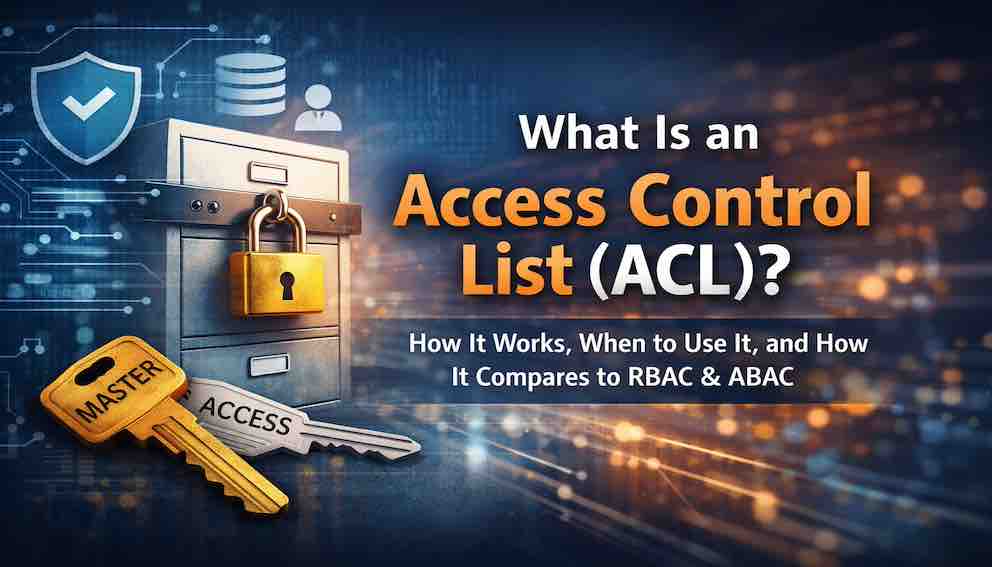
Imagine you work in an office with a large filing cabinet. Every employee has a key. The key opens the entire cabinet. This is simple. It works. Everyone who works there can open it.
Then one day, a contractor joins the team. They need to access only one file — the project timeline. They do not need to see payroll, customer contracts, or internal reviews.
You have a problem.
You cannot give the contractor the master key. That would open everything. You cannot change the lock for every file. That would be impractical. You need a way to say: "This specific person can open this specific drawer."
So you install a different kind of lock. Each drawer now has its own small lock, and you give the contractor a key only for the drawer they need. The master key still opens everything for employees. But now you have precision.
This is an Access Control List. The filing cabinet is your system. The drawers are resources. The keys are permissions. The list of who can open which drawer — that is the ACL.
What Is an Access Control List?
An Access Control List (ACL) is a list attached to a specific resource that specifies which users or groups are allowed to perform which actions on that resource.
Instead of asking "What is this user allowed to do?" — which is how role-based systems think — an ACL asks: "Who is allowed to access this specific thing?"
Permissions are stored directly on the resource itself, not in a central role or policy. Each resource — a document, a file, a database row, a calendar entry — carries its own list of who can access it and what they can do.
A simple ACL attached to budget.xlsx might look like this:
No roles. No policies. Just a list attached to the thing being protected.
How ACLs Think Differently
To understand ACLs, it helps to contrast them with the access control models you may already know.
RBAC asks: "What roles does this user have, and what permissions come with those roles?" It starts with the user.
ABAC asks: "Do the attributes of this user, resource, action, and environment satisfy the policy?" It starts with the rules.
ACL asks: "Does this specific resource have an entry saying this user is allowed?" It starts with the resource.
RBAC and ABAC are user-centric or rule-centric. ACLs are resource-centric. This shift matters more than it first appears.
When permissions are stored centrally — in roles or policies — you can easily answer "Who can access this system?" But you struggle with one-off exceptions. When permissions are stored on resources, you handle exceptions cleanly. But you struggle to answer "Who has access to what?" across the whole system.
There is no universally right answer. There is only the right tool for your problem.
Where You Have Already Used ACLs
You have used ACLs many times, even if you did not call them that.
File sharing in Google Drive or SharePoint. When you right-click a file, choose "Share," and give [email protected] view access, you are creating an ACL. You attached a permission directly to that file.
Cloud storage buckets. When you configure an AWS S3 bucket to allow a specific user to read objects, that is an ACL. The permission lives on the bucket, not in a central policy.
Calendar sharing. When you share your calendar with a colleague and give them "See only free/busy" access, that is an ACL attached to your calendar resource.
ACLs appear wherever ownership matters, permissions are highly specific, and exceptions are common.
The Problem ACLs Solve: Where Roles Break Down
Here is the scenario where RBAC runs into trouble.
Your system has a rule: "Managers can view all employee records." A new requirement arrives. A contractor needs to view just one specific employee record — the one for the project they are working on. They do not need any others.
With RBAC alone, you have two bad options.
You can create a new role called ContractorWithAccessToEmployee123. That is absurd. You cannot create a new role for every exception. Or you can promote the contractor to the Manager role, which gives them access to every employee record — far more than they need. This violates the principle of least privilege.
With ACLs, the solution is direct. Attach a rule to that specific record:
No new roles. No system-wide changes. No unintended side effects. The contractor can see exactly one record and nothing else.
This is the core problem ACLs solve. They allow you to express precise, per-resource permissions that would be impossible or unreasonable to model with roles alone.
Why Pure RBAC Breaks Under Real Conditions
RBAC simplifies access into groups, but its weakness is structural: it assumes that permissions can be grouped cleanly. Real systems rarely behave that way.
Common scenarios that break pure RBAC include one-off exceptions, where a single user needs access to a single resource outside their normal role; temporary access grants for contractors or external partners; cross-team collaboration where someone needs one document from another department without full access to it; and external users like clients who have no natural place in your role hierarchy.
Trying to model all of this with roles leads to role explosion — dozens of roles that differ only slightly, stopping being meaningful abstractions and becoming an administrative burden instead. ACLs absorb the exceptions so the core roles stay clean.
Why ACLs Don't Replace ABAC
If ACLs handle precision so well, why not use them for everything?
Because they introduce a different kind of complexity. Imagine a system with millions of resources — documents, records, files, projects — each with its own ACL. Now try to answer a simple question: "Who has access to sensitive customer data?"
You cannot answer it easily. The permissions are scattered across millions of individual ACLs. You would need to scan every resource, examine every list, and aggregate the results. At scale, this is often impractical.
This is where ABAC becomes necessary. ABAC allows you to define rules like "Users in Department X can access records in Department X" or "Managers can access records of their direct reports." These rules apply to all resources without requiring per-object storage. Access is derived from attributes, not looked up on each object.
The core trade-off is this: ACLs give you precision but no central view of who has access to what. ABAC gives you scalability and auditability but cannot handle true one-off exceptions without inventing special-case attributes to cover them. RBAC gives you simplicity and manageability but breaks down when exceptions appear.
No single model solves everything.
Discretionary vs. Mandatory Access Control
It is worth placing ACLs in a broader taxonomic context. ACLs are a form of Discretionary Access Control (DAC) — a model where the owner of a resource controls who can access it. The person who creates the document decides who to share it with. The person who owns the calendar decides who can view it.
This contrasts with Mandatory Access Control (MAC), where access decisions are enforced by a central authority or system policy that individual users cannot override. MAC is common in high-security environments like government systems, where a document classified as Top Secret cannot be shared down the chain regardless of what the document's owner wants.
Most commercial software uses DAC. Most military and intelligence-grade systems use MAC. Knowing this distinction helps you understand why ACLs feel natural in collaboration tools — they are built on a DAC assumption that users own their data and can share it as they see fit.
ACL Inheritance and Hierarchical Resources
In practice, resources are rarely flat. They are hierarchical — directories contain files, projects contain tasks, folders contain documents. This creates a question: when you set an ACL on a parent resource, what happens to the children?
Most systems implement ACL inheritance, where child resources inherit the ACL of their parent unless explicitly overridden. A folder shared with Alice propagates that permission to every file inside it.
Inheritance simplifies management considerably, but it introduces a subtle risk sometimes called the confused deputy problem. If a process or service has inherited broad permissions from a parent resource, an attacker who can influence that process can use its inherited permissions to access resources they should not be able to reach directly. The service is the confused deputy — it acts on behalf of the attacker while using permissions granted to it for a legitimate purpose.
The practical implication: when designing ACL-based systems, be explicit about whether permissions are inherited by default or opt-in, and audit deeply nested resources where inherited permissions may be broader than intended.
How ACLs Are Implemented
An ACL is typically stored as a collection of entries attached to a resource. Each entry contains three elements:
the subject (the user or group),
the action (what they can do — read, write, delete),
and the effect (allow or deny).
An example ACL on a document might look like this:
At runtime, when a user requests access, the system fetches the resource's ACL, checks for an entry matching the user and the requested action, and applies the effect. If no matching entry is found, the system falls back to RBAC or ABAC policies.
One important subtlety: deny semantics are not universal. Many systems implement deny-overrides-allow, meaning an explicit deny entry wins regardless of any allow entries. This is what lets you say "everyone in Finance can read this, except Carol." But some systems use first-match or most-specific-match semantics instead. Know which convention your system uses before you rely on deny entries for security boundaries.
The Hidden Problems ACLs Introduce
ACLs solve precision, but they create their own risks if not managed carefully.
State explosion. Every resource carries its own permissions. Millions of resources means millions of ACLs, leading to storage overhead, complex backup and restore operations, and slow performance when querying across the whole permission space.
Audit difficulty. Answering "Who has access to sensitive data?" requires aggregating permissions across every resource. With RBAC, you show role assignments. With ABAC, you show policies. With ACLs, you may need to scan thousands of objects. In regulated industries, this creates a genuine compliance challenge.
Inconsistent behaviour. Two visually identical resources may have completely different ACLs, leading to confusing user experiences and hard-to-debug access issues. Users who can edit one document but not another that looks the same will lose trust in the system.
Performance costs. Evaluating an ACL requires fetching the resource, parsing the list, resolving group memberships, and handling allow/deny precedence. At scale this is expensive if not cached carefully.
Security drift. Over time, ACLs accumulate stale entries: temporary access that was never revoked, permissions granted for a one-off purpose, entries for users whose accounts no longer exist. Unlike roles, which are often reviewed periodically, individual ACL entries are frequently forgotten. A contractor given access for a three-month project who later has their account disabled may still have ACL entries on dozens of resources — entries that silently persist until someone looks.
When to Use ACLs
ACLs are the right choice when you need per-resource sharing, when resource ownership matters and the creator should control access, when exceptions are frequent enough that RBAC would explode into dozens of narrow roles, and when you are building collaboration platforms, document systems, or file storage where user-owned resources are the natural model.
Real-world systems where ACLs shine include Google Drive and SharePoint for per-file sharing, Jira and Asana for task-level access, AWS S3 for bucket and object permissions, and calendar systems for colleague sharing.
Conversely, avoid relying on ACLs as your primary model when the system is very large and highly dynamic, when strong auditability is required for regulatory purposes, when permissions should be consistent and predictable across many resources, or when you have no mechanism for periodic ACL cleanup. In these situations, use ACLs as a supplement, not a foundation.
Hybrid Systems: The Real-World Pattern
In practice, serious systems combine all three models. They do not choose one; they use each where it fits best.
A typical pattern works in layers. RBAC defines baseline access: "Managers can view employee records." This is the default rule that applies to most users most of the time. ABAC then refines access with context: "Managers can only view employees in their region." This adds nuance without creating new roles. ACLs handle exceptions: "This specific contractor can view this specific record." This covers the one-off case that neither roles nor policies can express cleanly.
Each layer solves a different problem. RBAC handles broad, stable permissions that apply to groups. ABAC handles dynamic, context-aware permissions that depend on attributes. ACLs handle per-resource exceptions that are too specific for either.
Together they form a complete system. The goal is to keep RBAC simple, keep ABAC expressive, and keep ACLs targeted. When any layer starts absorbing the work of another, the design is probably wrong.
ACLs and Least Privilege
ACLs are a powerful tool for implementing the principle of least privilege — granting exactly the access needed, to exactly the resource needed, for exactly the time needed.
Without ACLs, giving a contractor access to one record might mean granting them a role that covers many records. With ACLs, you attach a permission directly to that one record. Nothing more is exposed.
In practice, least-privilege ACL management means granting only the minimum action required (read-only when write is not needed), using time-bound ACL entries where the system supports them, scheduling periodic reviews to remove stale permissions, and auditing ACL changes to track who granted what and why.
Where ACLs Fit in the Authorization Stack
ACLs operate at the authorization layer, after authentication has established who the user is. In a system that combines all three models, a typical authorization flow looks like this:
This ordering is one common pattern, not a universal law. Some systems check ACLs first (for performance, if the ACL is stored with the resource). Others omit ABAC entirely. What matters is that all three layers are evaluated consistently, and that a deny in any layer cannot be silently bypassed by an allow in another.
ACLs are often the final check — the layer that handles the exception that no role or policy could express cleanly.
The Deeper Insight
ACLs reveal something fundamental about access control: not all permissions can be predicted in advance.
RBAC tries to predefine access. It assumes you know, before users arrive, all the roles and permissions your system will need. ABAC tries to generalize access, writing rules broad enough to cover all cases. Both are optimistic about the tidiness of reality.
ACLs accept that access is sometimes specific, contextual, and messy. Rather than forcing that mess into roles or rules, they attach it directly to the thing that matters — the resource itself.
This is why ACLs are not going away. They represent the moment where clean models meet the unpredictability of real users, real data, and real collaboration.
What You Should Take Away
After reading this article, you should be able to explain what an ACL is — a list attached to a resource specifying who can do what — and distinguish it from RBAC (user-centric, roles) and ABAC (rule-centric, attributes). You should recognise where you have already encountered ACLs in file sharing, cloud storage, and calendar systems.
You should understand why ACLs exist: they solve one-off exceptions that would cause role explosion in RBAC. You should be able to identify when to reach for them, and when to be cautious — particularly around the risks of state explosion, audit difficulty, inconsistent behaviour, performance costs, and security drift.
You should understand that ACLs do not replace ABAC at scale, and that the right real-world design combines RBAC for baseline access, ABAC for context, and ACLs for exceptions.
And you should understand ACLs as a DAC mechanism, distinct from MAC systems, and appreciate how inheritance and the confused deputy problem introduce complexity in hierarchical resource structures.
Closing: The Filing Cabinet Revisited
Return to the filing cabinet.
The master key — the role — worked beautifully for employees. It was simple. It was efficient. Everyone knew what they could open.
Then the contractor arrived. The master key could not solve the problem. You could not give it to them. You could not create a new master key for every edge case. You needed something different.
So you added individual locks to each drawer. You gave the contractor a key only for the drawer they needed. The master key still worked for employees. The new locks handled the exception.
This is ACLs. They do not replace your roles or your policies. They handle the cases that roles and policies cannot.
Your system will need them. Not for every resource, and not every day. But when the exception arrives — and it will arrive — you will be glad they exist.
About N Sharma
Lead Architect at StackAndSystemN Sharma is a technologist with over 28 years of experience in software engineering, system architecture, and technology consulting. He holds a Bachelor’s degree in Engineering, a DBF, and an MBA. His work focuses on research-driven technology education—explaining software architecture, system design, and development practices through structured tutorials designed to help engineers build reliable, scalable systems.
Disclaimer
This article is for educational purposes only. Assistance from AI-powered generative tools was taken to format and improve language flow. While we strive for accuracy, this content may contain errors or omissions and should be independently verified.