
Learning Paths
Last Updated: March 16, 2026 at 17:30
Architecture Views and Perspectives: Understanding Systems Through Logical, Development, Process, and Deployment Views
How logical, development, process, and deployment views help architects address stakeholder concerns and manage complexity
Software architecture is never fully captured by a single diagram or document, because each stakeholder sees the system differently and cares about different aspects. Developers need to understand how the code is structured, operations teams need to know how it will run in production, and business stakeholders want to understand what the system does. In this tutorial, we explore the four fundamental views of software architecture—logical, development, process, and deployment—and how each view helps answer the questions of its intended audience. Using practical examples, particularly a food delivery platform, we explain how these views connect, how scenarios validate consistency, and why architects must manage and communicate across multiple perspectives to ensure a coherent, maintainable system
The Problem with One Diagram
A familiar story: Your team builds a food delivery platform. It works. Customers order, restaurants receive orders, drivers deliver. Everyone's happy.
Then the operations team asks: "How do we scale for holiday weekend traffic? What are the network dependencies? Where are the bottlenecks?"
You show them your architecture diagram—a single, comprehensive masterpiece showing every detail: domain entities, services, databases, queues, servers, network segments.
It's completely useless to them.
The network topology is buried under domain details. Service interactions are obscured by database schemas. The operations team leaves frustrated. Your team feels their work went unappreciated.
Why This Happens
Software systems are complex—hundreds or thousands of components interacting in dynamic ways. No single view can serve all stakeholders. A diagram that tries to show everything shows nothing clearly.
Think about building construction. Floor plans show room layouts. Elevations reveal external appearance. Electrical schematics map wiring. Plumbing diagrams explain water flow.
Each serves a specific professional. The plumber doesn't need the electrical schematic.
Software architecture works the same way.
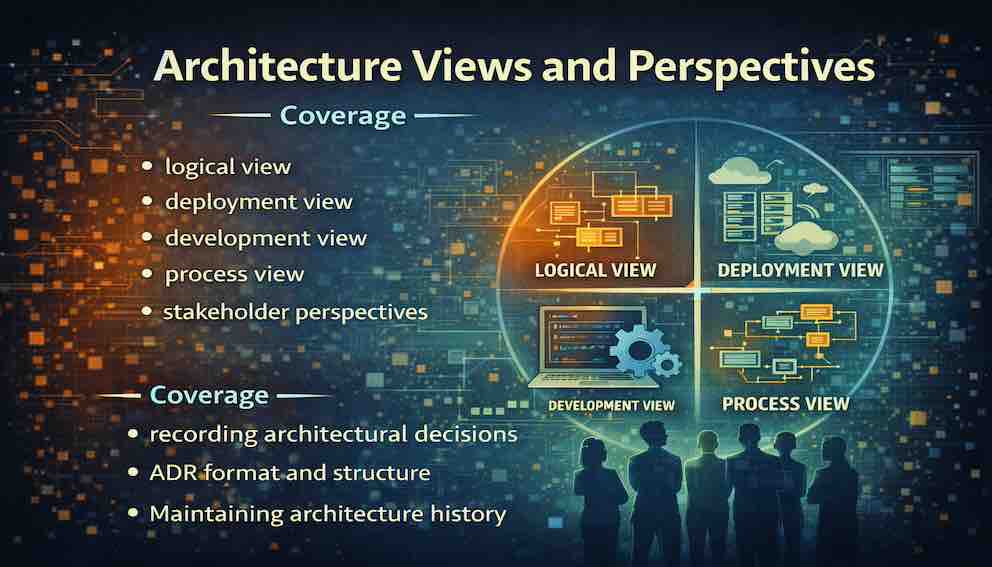
The Four Views: Different Angles on the Same System
These aren't four separate architectures—they're four perspectives on a single architecture, like different projections of the same 3D object.
The logical view describes what the system does.
The development view describes how it is built.
The process view describes how it behaves at runtime.
The deployment view describes where it runs.
Together, they provide a complete picture.
1. The Logical View: What the System Provides
Focus: Functionality, key abstractions, and their relationships
Artifacts: Domain models, class diagrams, component diagrams
Primary audience: Business stakeholders, product owners, domain experts
A simple test: Could you explain this to a business stakeholder without mentioning any technology? If yes, you're thinking in the right terms.
Food Delivery Platform Example
The logical view identifies core entities:
The Customer places orders and provides a delivery location.
The Restaurant offers menu items and receives orders.
The Menu is a collection of items a restaurant makes available.
The Order links a customer to items from a restaurant.
The Driver delivers orders.
The Payment handles the financial transaction.
Relationships tie these together. A Customer places an Order. The Order references Menu items from a Restaurant. A Driver is assigned to deliver the Order.
This view answers:
- What are the major functional elements of the system?
- How do these elements relate to one another?
- What domain concepts must be understood to work on this system?
The logical view creates a shared language between technical and non-technical stakeholders. When a product manager says "we need to handle order cancellations," the logical view shows where cancellation fits.
💡 Try this: Draw the logical view for a feature you're building. Show it to a non-technical colleague. Do they understand what the system does without asking about databases or servers?
2. The Development View: How the System Is Built
Focus: Code organisation, modules, layers, dependencies, team boundaries
Artifacts: Module dependency diagrams, layer diagrams, package structures
Primary audience: Developers, technical leads, architects
A simple test: If a new developer joined your team tomorrow, would this view help them understand your code organisation without a lengthy verbal handover?
Food Delivery Platform Example
The development view shows how code is structured for construction and maintenance.
Service boundaries might include:
The Order Service handles order creation, status updates, and history.
The Restaurant Service manages profiles, menus, and availability.
The Driver Service tracks drivers, handles assignment, and receives location updates.
The Payment Service processes payments and manages refunds.
The Notification Service sends push notifications, emails, and SMS messages.
Structural organisation might show:
A presentation layer containing mobile and web interfaces.
A business logic layer containing the services.
A data access layer containing repositories.
The view also captures dependency rules—for example, which modules can call which others—and team assignments showing who owns which areas of the codebase.
This view answers:
- How is the code organised?
- What modules exist, and how do they depend on each other?
- Where would a new feature be added, and what might it affect?
The development view enforces architectural principles like modularity and separation of concerns. If it specifies that the Order Service must not directly access the Restaurant Service's database, developers have an explicit boundary to respect.
💡 Try this: Map your current codebase's module dependencies. Are there any places where the actual dependencies violate your intended architecture?
3. The Process View: How the System Behaves at Runtime
Focus: Runtime interactions, concurrency, synchronisation, communication patterns, failure modes
Artifacts: Sequence diagrams, activity diagrams, state machine diagrams
Primary audience: Performance engineers, architects concerned with reliability and scalability
A simple test: When the system is under heavy load, which interactions become critical to understand? Your process view should make those visible.
Food Delivery Platform Example
The process view reveals what happens during execution. Consider the sequence when a customer places an order:
The customer submits the order via the mobile app. The Order Service validates the order and checks restaurant availability. It calls the Payment Service to process payment, which either confirms or rejects the transaction.
If successful, the Order Service notifies the Restaurant Service, which forwards the order to the restaurant. Simultaneously, it requests the Driver Service to find an available driver, which responds with an assignment. The Notification Service then sends updates to the customer based on events from both services.
This view also exposes concurrency concerns—multiple orders being processed simultaneously—and identifies critical paths. The payment step, for instance, is likely a bottleneck.
This view answers:
- How do components interact during execution?
- How is concurrency managed?
- What happens when a component fails or responds slowly?
- Where are the potential bottlenecks?
The process view reveals behaviour invisible in static diagrams. A system that looks perfectly modular might have deeply coupled runtime interactions. The process view exposes this before it becomes a production incident.
💡 Try this: Pick a key user journey in your system. Walk through every interaction, including failure scenarios. Where are the single points of failure?
4. The Deployment View: Where the System Runs
Focus: Infrastructure, networks, servers, containers, cloud services, physical locations
Artifacts: Deployment diagrams, network topology diagrams, cloud architecture diagrams
Primary audience: Operations teams, infrastructure engineers, DevOps, security professionals
A simple test: If your infrastructure failed in production right now, would this view help you understand the impact and begin recovery?
Food Delivery Platform Example
The deployment view shows the physical environment where the system operates.
Mobile apps connect to an API gateway over HTTPS. Backend services run in a Kubernetes cluster spread across multiple availability zones. PostgreSQL clusters provide persistence with primary instances for writes and read replicas for queries. RabbitMQ handles asynchronous communication between services. Redis provides caching and session storage. A CDN serves static assets. Monitoring tools like Prometheus, Grafana, and an ELK stack sit alongside the application services.
This view answers:
- Where do system components run, and how do they communicate?
- What infrastructure dependencies exist?
- How does the system handle failures?
- How does it scale to handle high traffic?
- What are the network boundaries and security constraints?
The deployment view connects the software to reality. A system that works perfectly in development may fail in production due to network latency, insufficient resources, or misconfigured infrastructure. This view makes those concerns visible.
💡 Try this: Draw your deployment architecture. Then simulate a failure—say, an entire availability zone goes down. Can you trace what breaks and what survives?
How the Views Connect
Remember: these are not separate architectures. They are different perspectives on the same system.
Consider a single element from the food delivery platform: the Order Service.
In the logical view, it appears as a responsibility—"handles order placement and management"—shown as a component that interacts with Customer, Order, and Payment entities.
In the development view, it is a module with its own codebase, build configuration, and team ownership, with dependencies on shared libraries and APIs.
In the process view, it is a running process that receives HTTP requests, publishes events, and calls other services. We see its runtime behaviour—how it handles concurrent requests, retries failures, and times out.
In the deployment view, it runs as containerised instances in a Kubernetes cluster, with multiple replicas spread across availability zones, connected to a PostgreSQL database and a RabbitMQ broker.
Each view reveals something different. None alone tells the whole story.
The 4+1 Model: Where Scenarios Fit
How do we ensure all views describe a coherent system? How do we know logical entities map to development modules, which map to runtime processes, which map to deployment nodes?
Philippe Kruchten's 4+1 architectural view model adds a "+1" scenario view. Scenarios or use cases tie the four views together, ensuring consistency.
Take the "place order" scenario for the food delivery platform. Trace it through all views:
The logical view shows the entities involved—Customer, Order, Payment—and their relationships.
The development view shows the services that implement order processing.
The process view shows the runtime sequence of messages and interactions.
The deployment view shows the infrastructure hosting each service.
If the scenario works coherently across all views, the architecture is sound. If it breaks in one view—for example, the process view describes asynchronous communication but the deployment view shows no message broker—the architecture has a problem that must be resolved.
Scenarios serve as a reality check, confirming the views collectively describe a functioning system.
Who Cares About Which View?
Each view targets different stakeholders. Understanding this ensures you communicate clearly rather than overwhelming people with irrelevant information.
Business stakeholders, product owners, and domain experts primarily need the logical view. They need to understand what the system does without being drawn into technical details.
Developers, technical leads, and architects primarily need the development view. They need to know code organisation, module boundaries, and dependencies.
Performance engineers and architects concerned with runtime behaviour primarily need the process view. They need to understand interactions, concurrency, and failure modes.
Operations teams, infrastructure engineers, and security professionals primarily need the deployment view. They need infrastructure topology, network configuration, and scaling behaviour.
Of course, stakeholders often need more than one view. A technical lead might use the development view daily but turn to the process view when investigating a performance issue. An architect must be fluent in all four.
This is a defining responsibility of the architect role: knowing which view to present to whom, and ensuring each view remains trustworthy.
Keeping Views Consistent
Creating multiple views is only valuable if they remain consistent over time. Views can drift apart as systems evolve, and when they do, they actively mislead rather than inform.
Real-World Examples of View Drift
The logical view shows Payment Processing as a separate responsibility, but in the development view, payment logic has been embedded inside the Order Service. The intended separation has quietly eroded.
The development view shows clean module boundaries, but the process view reveals modules making synchronous calls directly to each other's databases, creating hidden runtime coupling.
The process view assumes services communicate asynchronously via a message queue, but the deployment view shows no message broker has been provisioned.
The deployment view shows three replicas of a service for high availability, but the process view reveals the service maintains local in-memory state, making those replicas inconsistent.
Each inconsistency represents a real risk that could result in production failures or costly rework.
Strategies to Prevent Drift
Maintain traceability between views. Ensure elements in one view map explicitly to corresponding elements in others. A logical component should appear in the development view as a module, in the process view as a runtime participant, and in the deployment view as a deployed artifact.
Automate checks where possible. Some consistency rules can be enforced programmatically—tests that verify module dependencies match intended boundaries, or infrastructure-as-code that ensures the deployment view reflects what is actually provisioned.
Schedule regular architecture reviews. Validate that all views accurately represent the current system. Developers can confirm the development view; operations can confirm the deployment view. Multiple perspectives catch drift any single person might miss.
Treat views as living documentation. An outdated view is worse than no view at all. Views should evolve alongside the system, stored close to the code so changes naturally prompt updates.
When to Create Which View
Not every project needs all views in exhaustive detail. Over-engineering documentation wastes effort. Let context guide your decisions.
System complexity is a primary driver. A simple CRUD application maintained by one team may only need a logical view and a minimal development view. A microservices system with dozens of services and multiple teams needs all four views developed in meaningful detail.
Team size and distribution matter. Geographically distributed teams benefit enormously from explicit development and deployment views that allow work coordination without constant synchronisation.
Critical quality attributes shape which views deserve the most investment. Systems with strict performance requirements need a robust process view to reason about latency. Systems with compliance requirements need a detailed deployment view showing data boundaries and access controls.
Stakeholder needs should drive prioritisation. If operations is a separate team responsible for running the system, invest in the deployment view. If a single team both builds and operates the system, that view may need less formality.
A pragmatic approach: start with what's necessary and expand as complexity grows. The cost of under-documenting critical views is misunderstandings and errors. The cost of over-documenting unnecessary views is time that could have been spent building.
A Note on Notation
Throughout this tutorial, we've described diagrams without specifying a particular notation. This is intentional.
While UML provides standard notations—class diagrams for the logical view, sequence diagrams for the process view, deployment diagrams for the deployment view—many teams find simpler approaches more effective.
The C4 model (Context, Containers, Components, Code), developed by Simon Brown, is a popular lightweight approach that aligns well with these views and is immediately accessible to a wide range of stakeholders.
Some teams use entirely informal box-and-line diagrams with clear legends.
The key is consistency within your team and clarity for your audience. A beautifully compliant UML diagram that confuses its audience is less valuable than a simple sketch that communicates clearly.
Practical Example: An Online Banking System Through All Views
Let's see how all four views come together for a coherent picture of a different system—an online banking platform that allows customers to check balances, transfer funds, and pay bills.
Logical View
The banking domain centres on several key entities. The Customer owns one or more accounts. Each Account has a balance, transaction history, and account type—savings, checking, or credit. Transactions represent money moving between accounts or to external payees. A Payee is an external entity—a utility company, credit card issuer, or another person—that can receive payments. Transfers are a specific type of transaction moving money between the customer's own accounts.
The relationships are straightforward. A Customer owns Accounts. Accounts have Transactions. Transactions can be Transfers between accounts or Payments to Payees. Each Transaction affects the balance of at least one Account.
Development View
The system is organised around business capabilities. The Account Service manages account details, balances, and transaction history. The Transfer Service handles moving money between accounts, including validation and fraud checks. The Payment Service manages payments to external payees, including scheduling and recurring payments. The Notification Service sends alerts for transactions, low balances, and security events. The User Service manages customer profiles, authentication, and preferences.
Each service maintains its own database to ensure loose coupling. They communicate via REST APIs for synchronous operations and Kafka events for asynchronous notifications. The codebase follows a clean architecture pattern, with domain entities at the core, use cases in the middle layer, and infrastructure concerns like databases and external APIs at the edges.
Process View
When a customer initiates a fund transfer, the mobile app sends a request to the Transfer Service. The Transfer Service first calls the User Service to verify the customer's session and authorisation. It then retrieves account details from the Account Service to confirm sufficient funds.
The Transfer Service performs fraud detection checks—comparing against typical transaction patterns, verifying geographic location, and checking against known fraud rules. If any check raises concerns, it flags the transaction for review and notifies the customer.
Upon passing all checks, the Transfer Service updates both account balances by calling the Account Service. It records the transaction and publishes a "TransferCompleted" event. The Notification Service consumes this event and sends alerts to the customer via their preferred channels—push notification, SMS, or email.
If the transfer fails at any point—insufficient funds, fraud block, system error—the Transfer Service publishes a "TransferFailed" event, and the Notification Service alerts the customer accordingly. The entire process is designed to be idempotent, preventing duplicate transfers if requests are retried.
Deployment View
Customer-facing applications include iOS and Android mobile apps, as well as a responsive web application. These connect to an API Gateway via HTTPS, with TLS termination and WAF protection at the edge.
Backend services run as containers in a Kubernetes cluster spanning three availability zones. Each service runs multiple replicas, with horizontal pod autoscaling based on CPU and memory usage. The cluster uses service meshes for observability and fine-grained traffic control.
PostgreSQL provides primary data storage, with a leader-follower configuration across zones. Read replicas handle query traffic for transaction history and account lookups. Redis caches session data and frequently accessed account information to reduce database load.
Kafka clusters manage event streaming between services, with topics partitioned for parallel processing. The fraud detection service uses a dedicated machine learning inference engine, deployed separately for compute isolation.
All services forward logs to a central ELK stack. Metrics feed into Prometheus, with Grafana dashboards for monitoring. Alerts route to PagerDuty for on-call rotation.
The entire infrastructure is defined as code using Terraform, with staging and production environments kept identical to prevent configuration drift.
Scenarios
The "transfer funds" scenario traces through all four views. The logical view shows the entities involved—Customer, Account, Transaction, Transfer. The development view shows the services implementing the functionality—Transfer Service, Account Service, User Service, Notification Service. The process view reveals the runtime flow, including fraud detection and failure handling. The deployment view shows where each service runs and how they communicate.
Tracing this scenario confirms that logical entities map to development modules, those modules behave at runtime as designed, and the infrastructure supports the required communication patterns. Any inconsistency—say, the process view assuming synchronous calls but the deployment view lacking appropriate network policies—becomes visible before it reaches production.
Common Pitfalls and How to Avoid Them
Views that don't align. Creating views in isolation leads to inconsistencies. The remedy is to maintain traceability, map elements across views, and use scenarios as validation.
Mixing concerns in a single diagram. When one diagram tries to show logical entities, deployment nodes, and runtime flows simultaneously, the result is unreadable. Each view should have a single, clear purpose.
Presenting the wrong view to the wrong audience. Showing the development view to business stakeholders confuses everyone. Before presenting, ask: what does this audience need to know? Then choose the view that answers their questions.
Treating views as static artefacts. Views created at design time and never updated become misleading. Treat them as living documentation, updated whenever significant changes occur.
Over-documentation. Creating exhaustive views for every possible stakeholder wastes effort. Document what is needed now, and expand as complexity warrants it.
Inconsistent notation. Using different notations for similar concepts across views confuses readers. Establish team conventions and apply them consistently, or ensure every diagram has a clear legend.
Conclusion: Seeing the Whole Elephant
There's an old parable about blind men encountering an elephant for the first time. One feels the leg and concludes it's like a tree trunk. Another feels the trunk and says it's like a snake. A third feels the flank and believes it's like a wall.
Each is partially correct. None sees the whole animal.
Software architecture is like that elephant. The logical view sees the functionality. The development view sees the code organisation. The process view sees the runtime behaviour. The deployment view sees the infrastructure.
Each reveals something real and important. None alone tells the whole story.
The architect's job is to hold all these views simultaneously, keep them consistent, and communicate the right view to the right audience at the right time. It's a demanding role, but it's what makes architecture genuinely valuable rather than merely decorative.
By understanding which stakeholders care about which view, architects can communicate more effectively, maintain alignment across teams, and make better design decisions. Multiple views allow architects to see the whole system—and that's what separates a coherent, maintainable architecture from a tangled mass of implementation details that nobody fully understands.
Key Takeaways
No single view can serve all stakeholders. Different perspectives reveal different aspects of a system. Attempting to combine them into one diagram produces something that serves no one well.
The logical view describes what the system does—its domain entities, responsibilities, and relationships. It's primarily for business stakeholders and domain experts.
The development view describes how the system is built—modules, layers, dependencies, and code organisation. It's primarily for developers and technical leads.
The process view describes runtime behaviour—interactions, concurrency, execution flows, and failure modes. It's primarily for performance engineers and architects concerned with reliability.
The deployment view describes where the system runs—infrastructure, networks, servers, and cloud services. It's primarily for operations teams and security professionals.
The 4+1 model adds scenarios that tie the four views together, providing a mechanism to validate that all perspectives describe a coherent, working system.
Views must remain consistent through traceability, automated checks where possible, regular architecture reviews, and living documentation practices.
Choose views pragmatically based on system complexity, team size, critical quality attributes, and stakeholder needs.
The architect's central responsibility is to hold all views simultaneously, keep them consistent, and ensure the right view reaches the right audience at the right time.
About N Sharma
Lead Architect at StackAndSystemN Sharma is a technologist with over 28 years of experience in software engineering, system architecture, and technology consulting. He holds a Bachelor’s degree in Engineering, a DBF, and an MBA. His work focuses on research-driven technology education—explaining software architecture, system design, and development practices through structured tutorials designed to help engineers build reliable, scalable systems.
Disclaimer
This article is for educational purposes only. Assistance from AI-powered generative tools was taken to format and improve language flow. While we strive for accuracy, this content may contain errors or omissions and should be independently verified.